Changelog
New features, improvements, and fixes. Discover how Allo evolves every week to better serve your team.
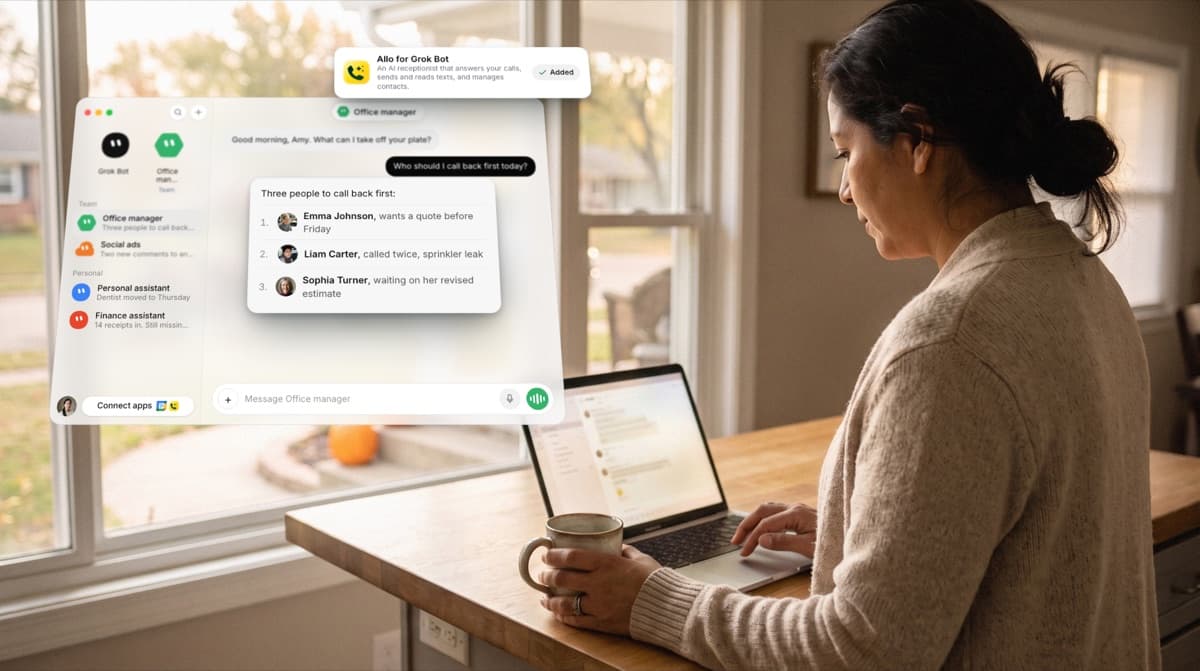
The Allo plugin is now in Grok Bot
Add the Allo for Grok Bot plugin and sign in to Allo once, no API key needed. Your bot can then set up your lines (who rings, opening hours, what callers hear, even your AI receptionist), tell you what’s happening on your calls and who to call back first, find what a customer said, text customers back and line up your Power Dialer. It checks with you before anything reaches a customer, and you publish line changes in Allo. Get Allo for Grok Bot.
 Shipped by Gonzalo Rascón
Save the texts you send every day and reuse them in one tap
You can now save the texts you send most as snippets and send them again in two taps: type / in the message box, pick one, and it drops in where your cursor is. Snippets fill in the contact’s first name for you, and you can share them with your team. On web, desktop, iPhone and Android, on the Business plan. Watch snippets in action.
 Shipped by Francisco Depascuali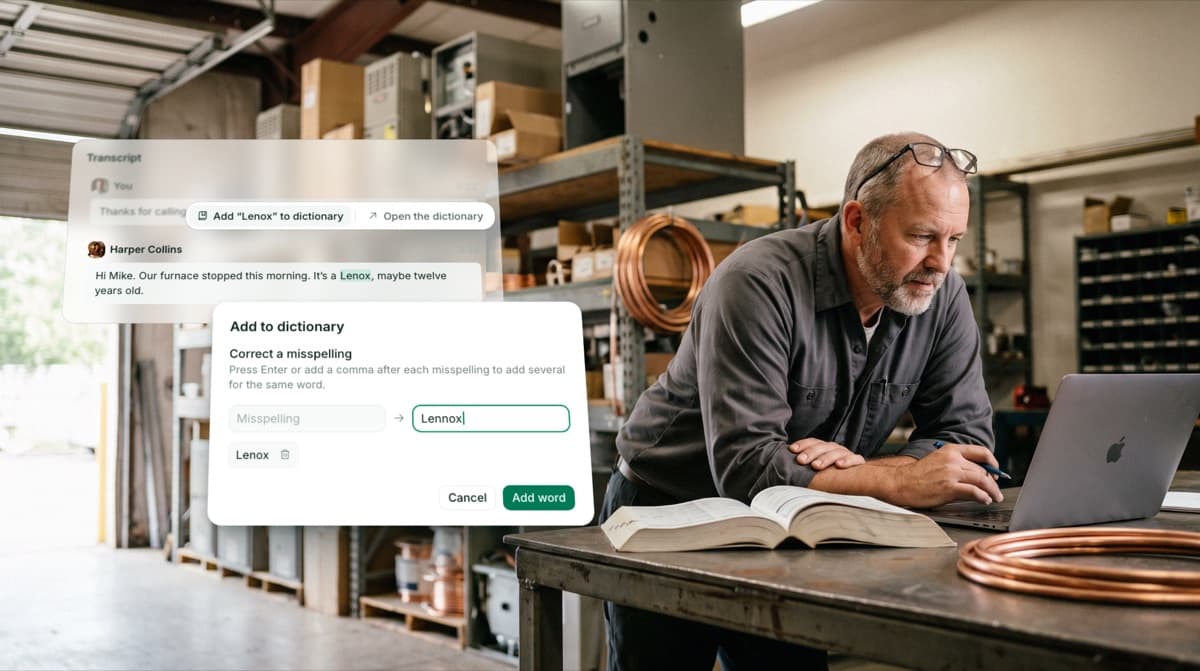
Teach Allo your business vocabulary
Add brand names, street names, product names and the words of your trade to your Dictionary in Settings, and Allo spells them correctly in your transcripts and call summaries. Your AI receptionist knows them too. Spot a misheard word? Select it in a transcript or summary and click Add to dictionary. On web and desktop, for admins and managers.
Shipped by Gonzalo Rascón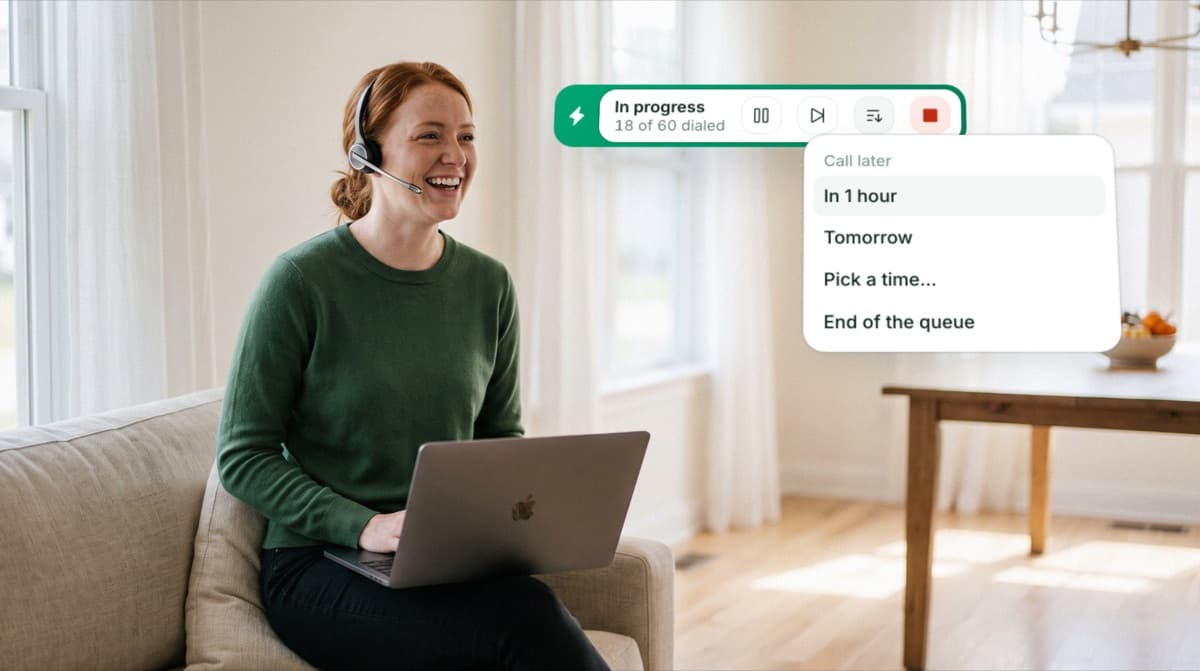
Schedule a call-back right from the Power Dialer
Someone asks you to call back tomorrow? Click Call later and pick when: in an hour, tomorrow, at a time you choose, or at the end of the queue. When the time comes, they’re back at the top of Up next. On web and desktop, for teams with the Power Dialer.
 Shipped by Camille Pawlak
An even better Power Dialer
Each call list can now be its own campaign: switch between them from the panel on the left, and create, rename or delete one in a click. When you select someone you’ve already talked to, the dialer shows a short AI brief, your last conversation with its summary and every past call before you dial. The new CSV import lets you match each column to an Allo field, create custom fields on the spot and bring your notes along. Plus: add a contact to a campaign from their profile, duplicates removed automatically, and queue statuses kept after a reload. On web and desktop.
 Shipped by Camille Pawlak & Cristian Kubrak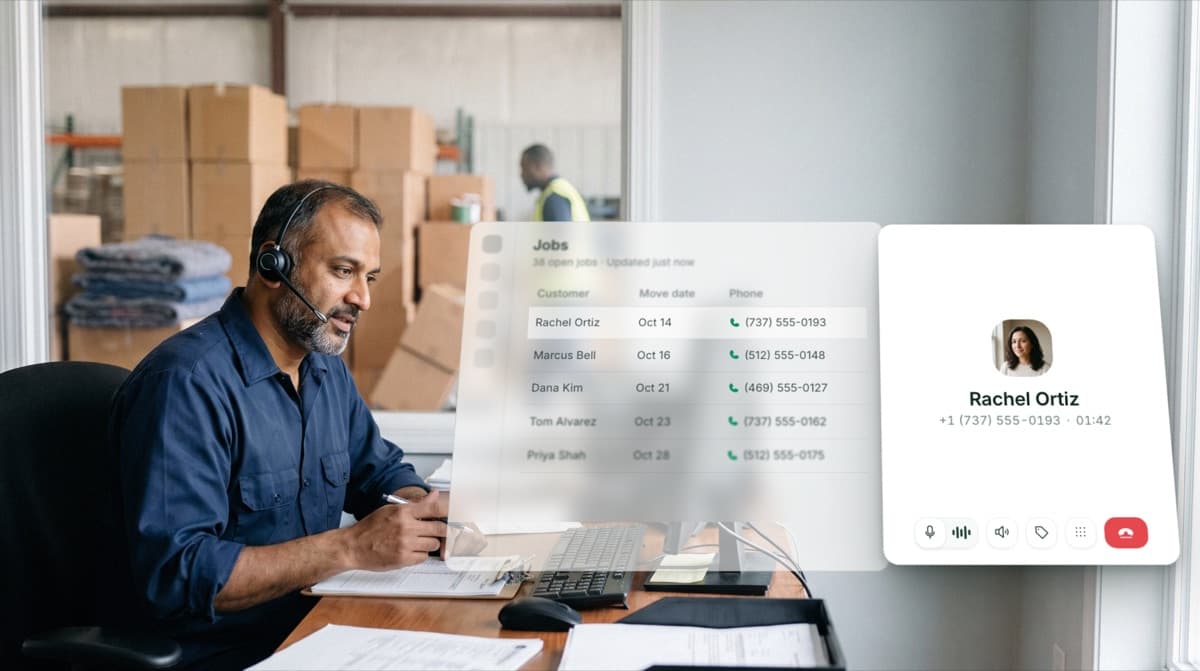
Put the Allo dialer inside your custom CRM
If your team works in a custom CRM, you can now place the Allo dialer right inside it, the same way it works in HubSpot. Your team makes and takes calls without leaving the page, and your tool knows when a call rings, gets answered and ends. To turn it on, email [email protected] with your tool’s web address, then follow the setup guide.
 Shipped by Leo Guerberg
See which texts were delivered and who’s waiting on you
In your inbox, filter conversations by texts received or sent to see right away which customers are still waiting for an answer. Texts you send now show a double tick once they reach the other phone. On web and desktop.
 Shipped by Gonzalo Rascón & Franco Pinto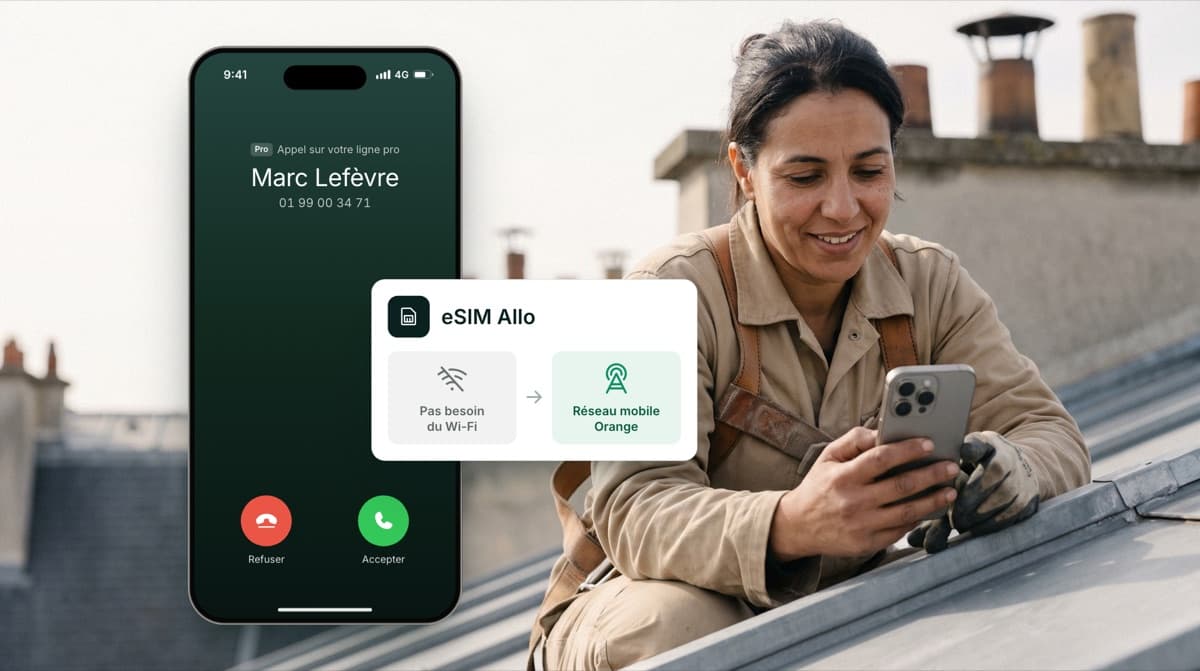
Allo eSIM, now in beta
You can now get Allo numbers on your account that run on Orange’s mobile network instead of the internet, so your calls keep a good quality even where the connection struggles. Your business line sits next to your personal one in your phone, and recording and AI summaries keep working in Allo. For French numbers. Learn more.
 Shipped by Pablo Giraud-Carrier
Your calls on mobile now open full screen
When you pick up a call on your phone, it now opens full screen instead of the small bar at the top. From that screen you can pause the recording and start it again, and when you call from a line with a verified caller ID, you see the number the other person sees. Swipe down or tap the arrow to go back to the small bar. On iOS and Android, from version 4.8.
 Shipped by Alejandro Maggi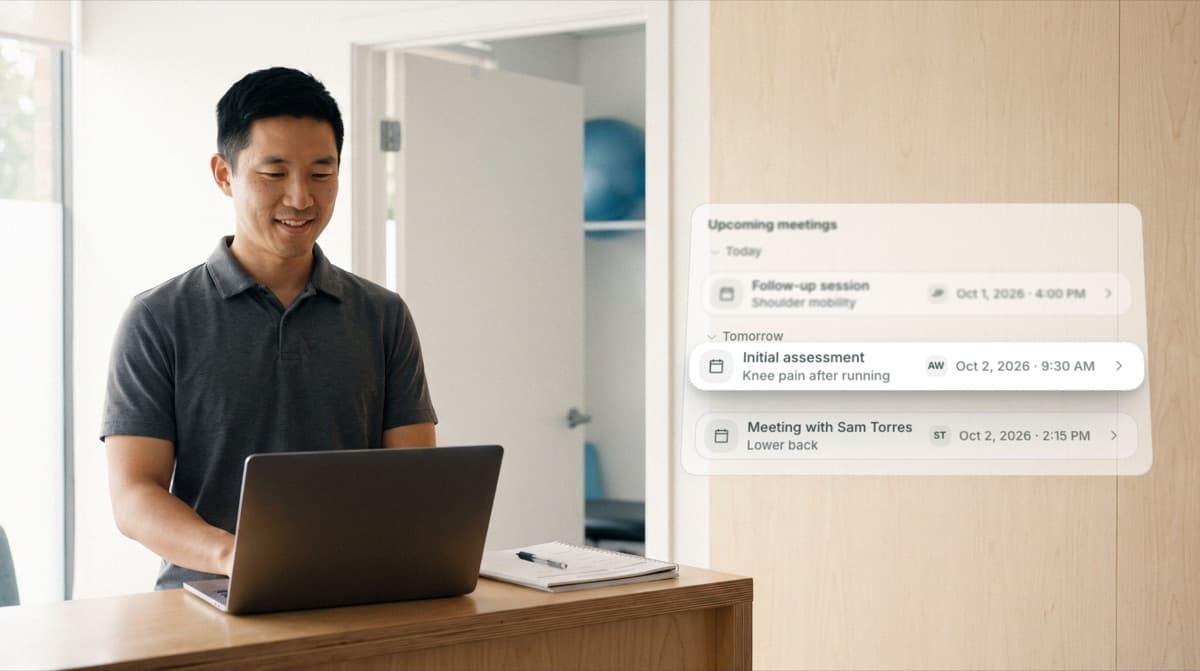
See every appointment your AI receptionist booked
Your AI receptionist books appointments while you’re busy. Open your agent and its Overview now lists the upcoming meetings it set up, all in one place. After the appointment, your callers can also confirm on their booking page that they showed up. On web and desktop.
 Shipped by Mario Lucchelli
Gong, Jobber, JobNimbus, eWay-CRM and Follow Up Boss now connect to Allo
Jobber, JobNimbus, Follow Up Boss and eWay-CRM now connect to Allo. Each call lands on the right contact in your CRM, with its AI summary and recording, so nobody has to type a note. And if your sales team works in Gong, every recorded Allo call now goes there too, on the rep who handled it. On web and desktop.
Shipped by Leo Guerberg
Registering to text in the US takes fewer steps
To text customers in the US, your business has to be registered first. That form is now one guided flow: tell us what your texts are for and how people said yes to receiving them, and Allo writes the description and the sample messages for you. Fewer questions, problems flagged before you submit, and sole proprietors no longer need a website. For US numbers, in Settings > Register for SMS.
 Shipped by Nicolas Garnil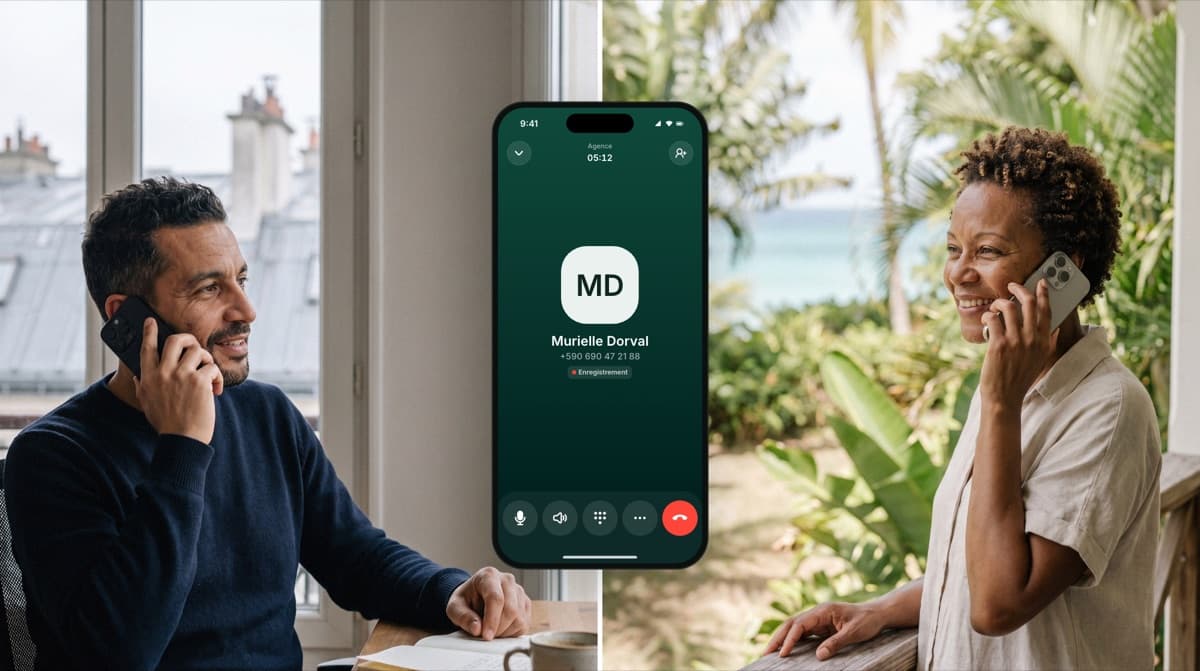
Calls to the French overseas departments are now included in your plan
Calling a customer in Guadeloupe, Martinique, French Guiana or Réunion from your French Allo number? These calls are now included in your plan, like a call within France, instead of being billed as international. For French numbers.
Shipped by Franco Pinto
React to a text without sending another one
Until now your customers could react to your messages and all you got was a line of text saying someone liked what you wrote. It goes both ways now: pick a reaction on any message and it lands on the other side, the way it does in any messaging app. Handy when a customer confirms an appointment and all you need to say is “got it”. On desktop and mobile.
Shipped by Francisco Depascuali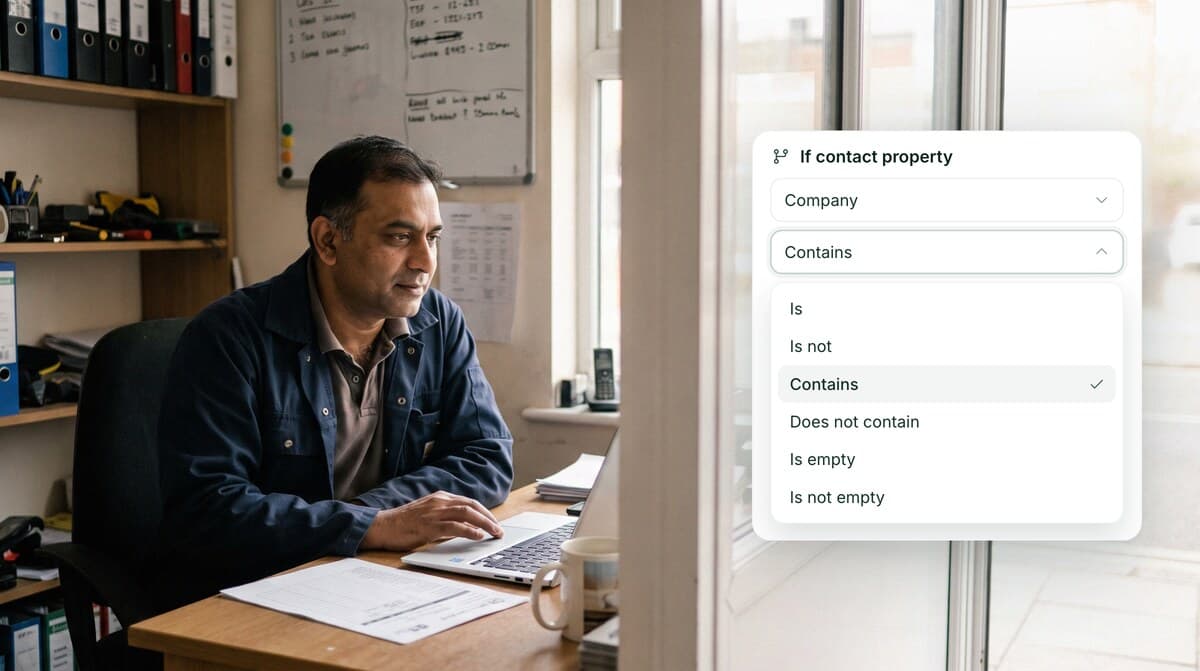
Sort your callers on more than an exact match
When someone calls you, a call flow decides what they hear and which phone rings, and you can split callers into different paths along the way. That split used to need an exact value. It now works on a partial one: a company name that contains a word, a field left empty, or anything that is not a given value. On web and desktop.
Shipped by Camille PawlakA different voice for each message
Your callers hear several recorded messages along the way: the welcome, the menu, the voicemail. They were all read by the same voice, the one set on the line. You can now pick a different one for each. On web and desktop.
Shipped by Camille Pawlak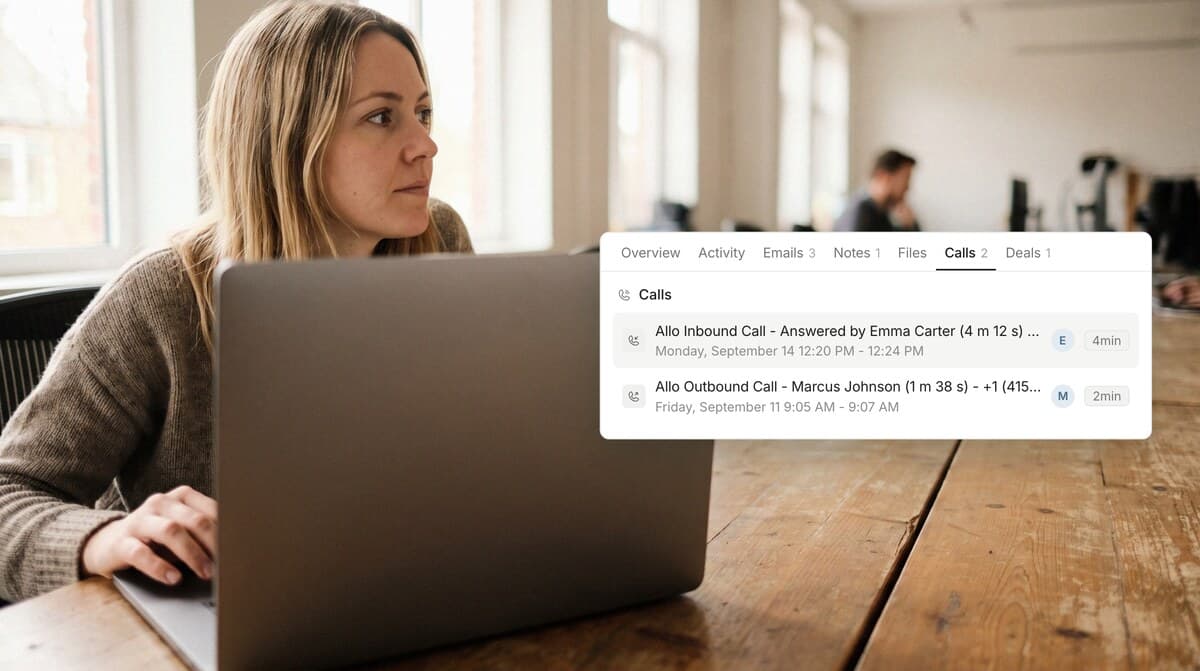
Your Allo calls are now real activities in Attio
Your Allo calls used to arrive in Attio as a note. They now arrive as a real activity, listed in the Calls section of the contact in Attio, with who called, when, and how long it lasted. Your texts still come through as notes, grouped one per contact per day, so twenty messages back and forth stay one thread.
Shipped by Leo Guerberg
Allo now works with Pipeline CRM
If your team works in Pipeline CRM, Allo now plugs straight into it. Your contacts and your companies come across into Allo, photos and logos included, and every call you make goes back onto the right person's file. Nothing to wire up in between.
Shipped by Leo GuerbergThe Android app, more stable and faster than ever
After a few weeks spent under the hood rather than on new screens, the Android app now runs more than 999 sessions out of 1,000 without a single crash. It also takes up less memory, so older phones stop closing it on their own, and your inbox and your conversations open about 40% faster.
Shipped by Francisco DepascualiSigning in takes one less decision
Allo now remembers how you signed in last time and puts that button first, marked “Last used”. No more wondering whether it was Google or your email address. The screen itself got a new look too, so it matches the rest of the app. On desktop.
Shipped by Camille Pawlak
Two ways to transfer a call, and you choose
When you transfer a call, you now get two buttons instead of one. You can hand the call over straight away, and your teammate picks it up while you step out of the conversation. Or you can talk to your teammate first: your caller waits on hold while you explain who is on the line and why, and you pass the call over once your teammate is ready. On desktop and mobile.
Shipped by Alejandro Maggi
Conference calls are much easier to start
Setting up a conference call used to take some doing: you had to place a second call, then find the button that merged the two together. Now you simply invite someone into the call you are already on, and Allo turns it into a conference. The list opens on the people who called that line recently, then your team with who is free, your contacts, and a keypad if the person you need is an outside number. On desktop, coming to mobile.
Shipped by Alejandro Maggi
Your notifications got a refresh
We refreshed the whole notification system, in the app and by email. You no longer get pinged for calls that never rang your phone: the ones your AI receptionist took, the ones that arrived while you were busy or outside your hours. And the ones you do get tell you more: who called, on which line, and what it was about. The end-of-call email got the same treatment, with the caller's number, the length of the call, where it went if it was transferred, and a button to listen to the recording.
Shipped by Pablo Giraud-CarrierSend an SMS from your CRM dialer
Your prospect does not pick up and you want to text them. The dialer next to your CRM record now sends the SMS itself, from the line you would have called with.
Shipped by Gonzalo Rascón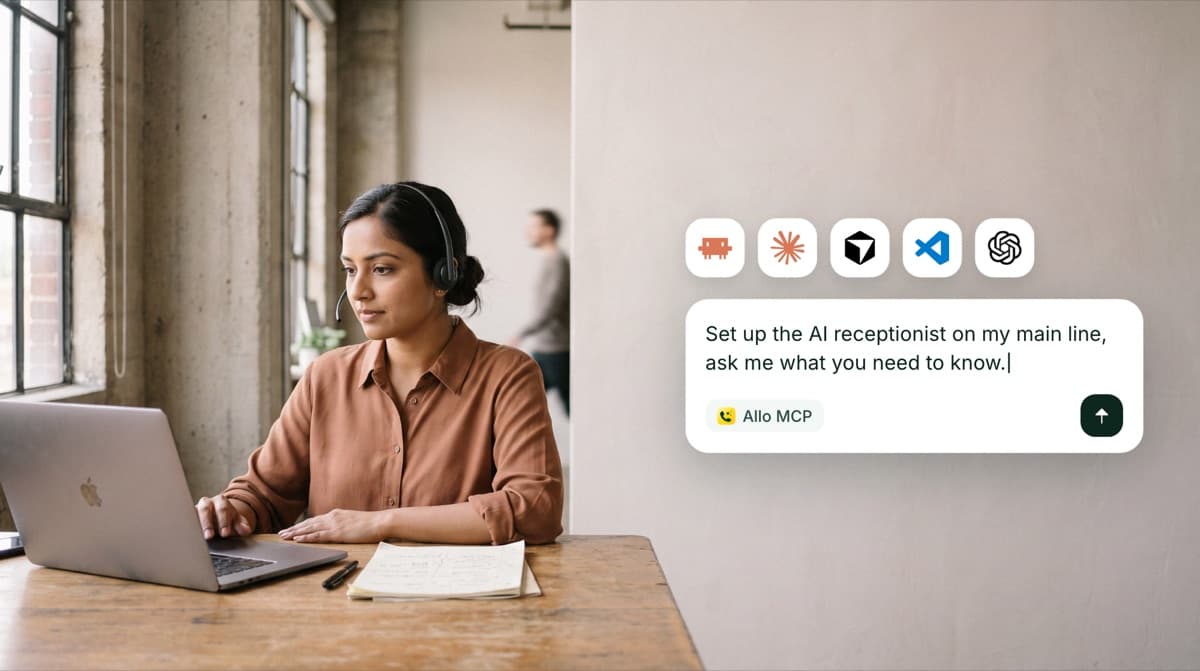
Set up your AI receptionist through the Allo MCP
Configuring a receptionist used to mean filling in one field after another. Now you can hand the whole job to your AI assistant: connect it to the Allo MCP and ask it to set yours up. It reads your transfer rules and the calendars it can book into, asks you whatever it still needs to know, and writes the prompt that describes what you do.
Shipped by Gonzalo Rascón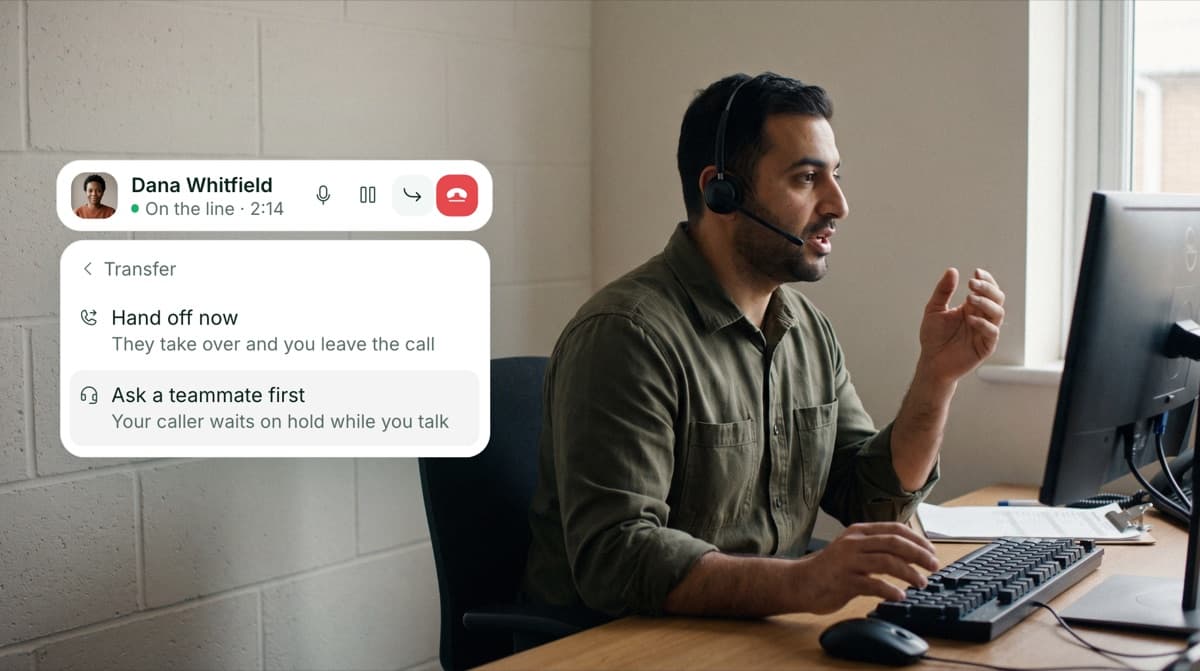
Speak to a teammate before you transfer the caller
A transfer used to mean dropping a caller on someone who has no idea who is on the line. Now you talk to your teammate first: your caller waits on hold while you say who is calling and why, and the call moves over once your teammate is ready. If they cannot take it, you go straight back to your caller and nobody gets dropped. On desktop and mobile.
Shipped by Alejandro Maggi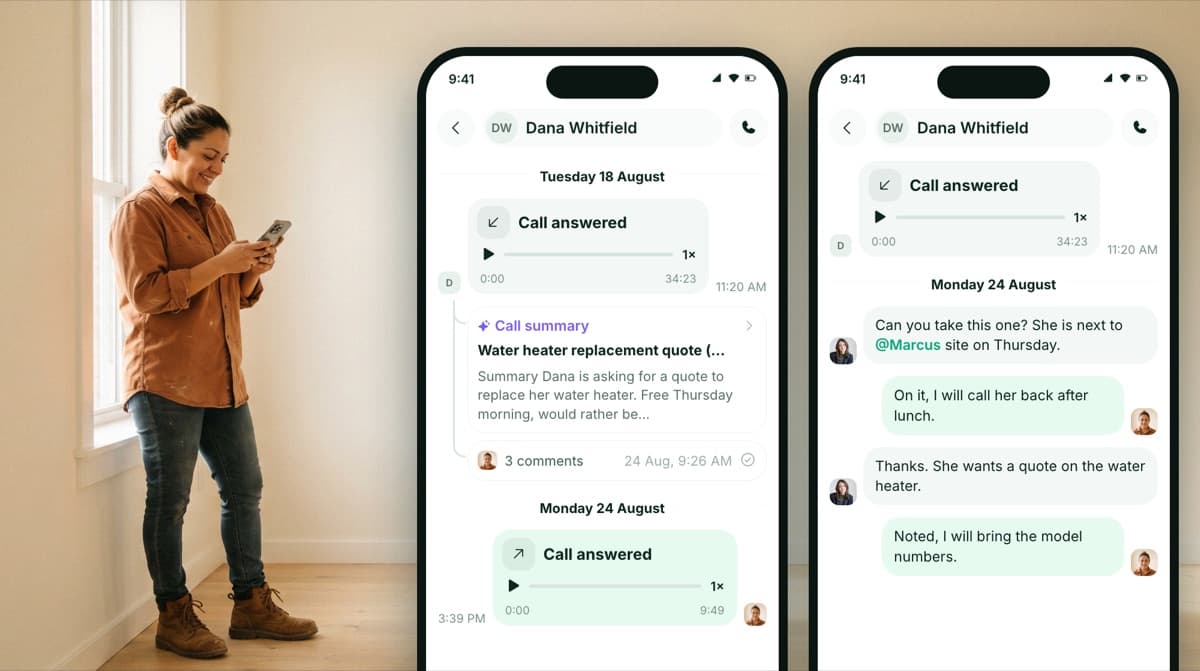
Threads, now on your phone
Threads arrived on web a few weeks ago, and they are now on mobile: open a thread on any call or message, mention a teammate, and answer from your phone with the full context in front of you. Push notifications carry the message itself, so you know what is being asked before you even open the app. On iOS and Android.
Shipped by Pablo Giraud-Carrier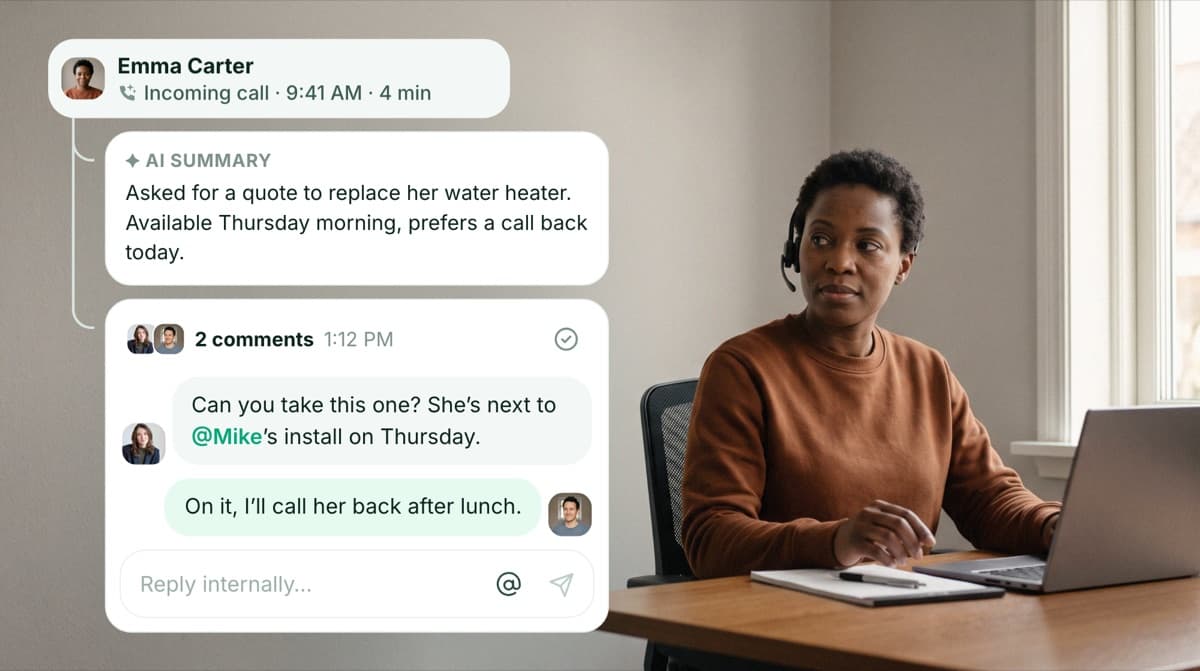
Start a thread on any call or message
A call needs a second opinion, a message needs a follow-up: open a thread right on it. Mention a teammate and they get notified, reply with the full context in front of them, and resolve the thread when it's handled. Watch threads in action. Available on web, coming soon to mobile.
Shipped by Pablo Giraud-Carrier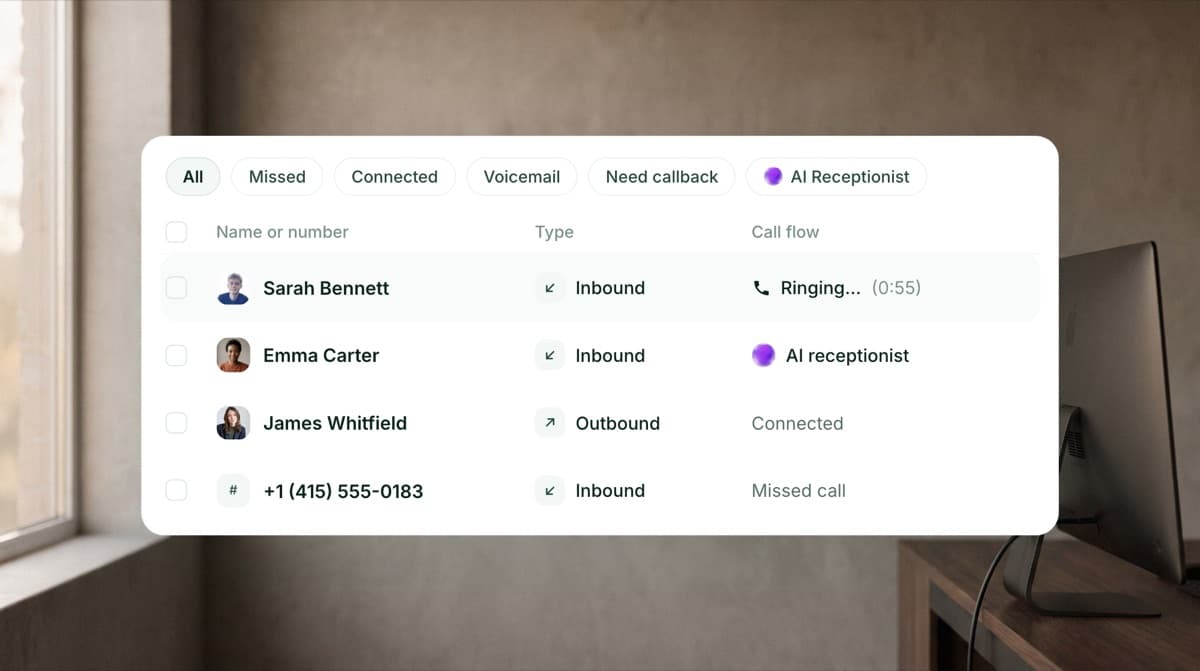
See ringing and ongoing calls live in your Calls tab
Your Calls tab now shows what's happening on your lines as it happens: a new Live row appears when a call is ringing or ongoing, with who's being rung and the live status of each call. On web and desktop.
Shipped by Camille PawlakConference calls, now on your phone
Conference calls arrive on mobile: add a teammate to an ongoing call straight from the in-call pill, and everyone sees the same live roster of who's on the line. On iOS and Android.
Shipped by Alejandro MaggiYour AI receptionist books with finer rules
Set up several event types and let the agent pick the right one for each situation: one calendar for support and another for sales, or a different one depending on the team size. You define the criteria, it books in the right place.
Shipped by Mario Lucchelli & Gonzalo Rascón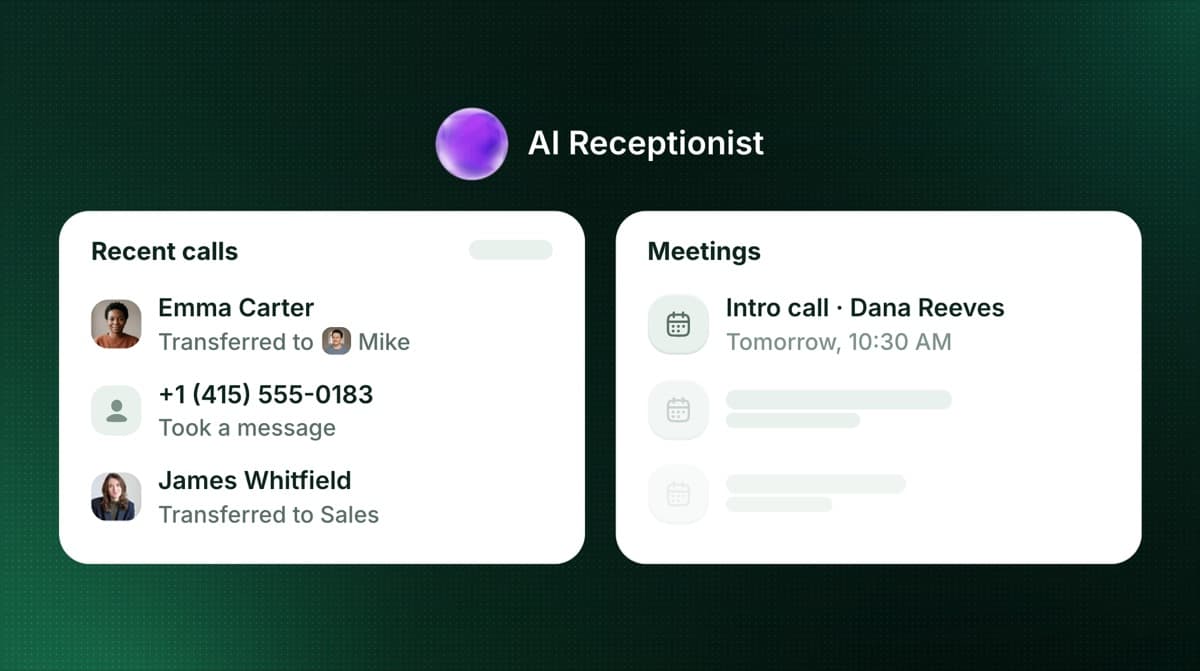
Meet your new AI receptionist
We rebuilt the AI receptionist from the ground up. It answers callers from your business knowledge, takes clean messages, and remembers every conversation, so a client who calls back is greeted with full context. Connect your calendar and it books appointments directly; set your transfer rules once and it sends each caller to the right teammate. Already had a receptionist on your line? Your configuration was transferred automatically.

 Shipped by Gonzalo Rascón, Mario Lucchelli, George Turp & Yassine Charai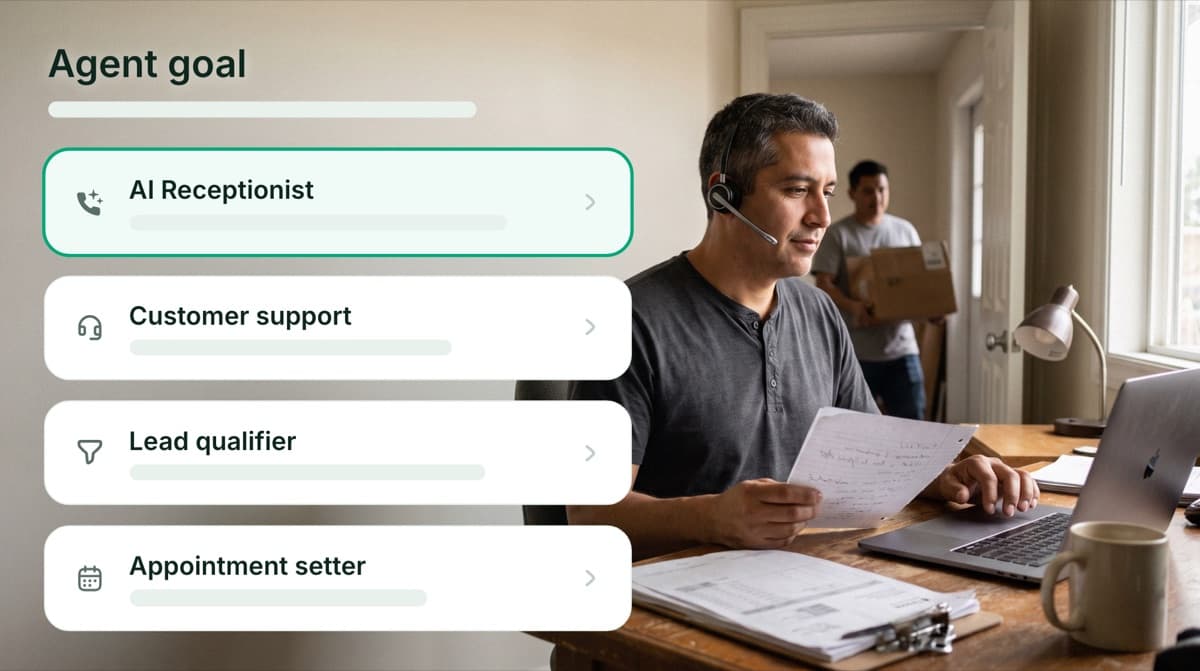
A brand new way to set up your agent
The setup experience is brand new: pick your agent's job, give it your business knowledge, choose its voice and tone, and decide when it picks up. Before going live, place a real test call and hear exactly what your callers will hear. Watch the 2-minute setup tour. On web and desktop.
Shipped by Gonzalo Rascón, Mario Lucchelli, George Turp & Yassine Charai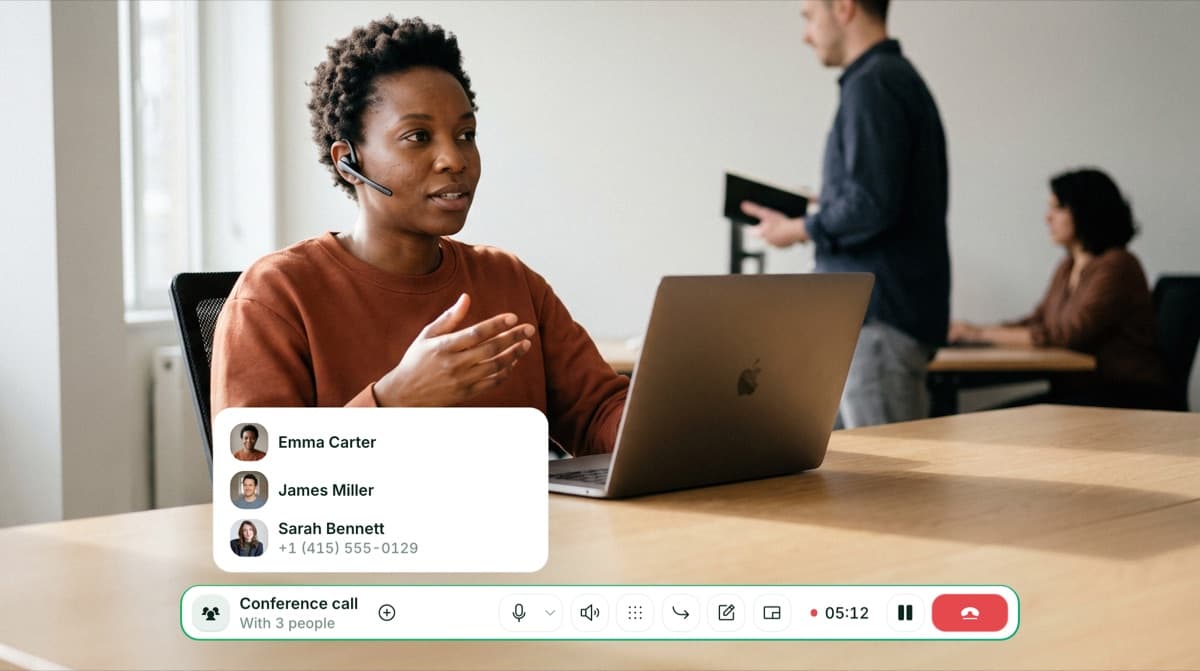
Turn any call into a conference call
Add a teammate to an ongoing call and everyone talks together: you, your teammate, and your caller. Tricky questions get answered live and decisions happen in one conversation. On web and desktop.

 Shipped by Sergey Chuvayev, Camille Pawlak & Nicolas Moncarz
Set Allo as your iPhone's default phone app
Your iPhone can treat Allo like its native dialer. Set Allo as your default calling app and every number you tap dials through your business line, while your personal number stays personal. Requires iOS 18.2 or later.
Shipped by Alejandro Maggi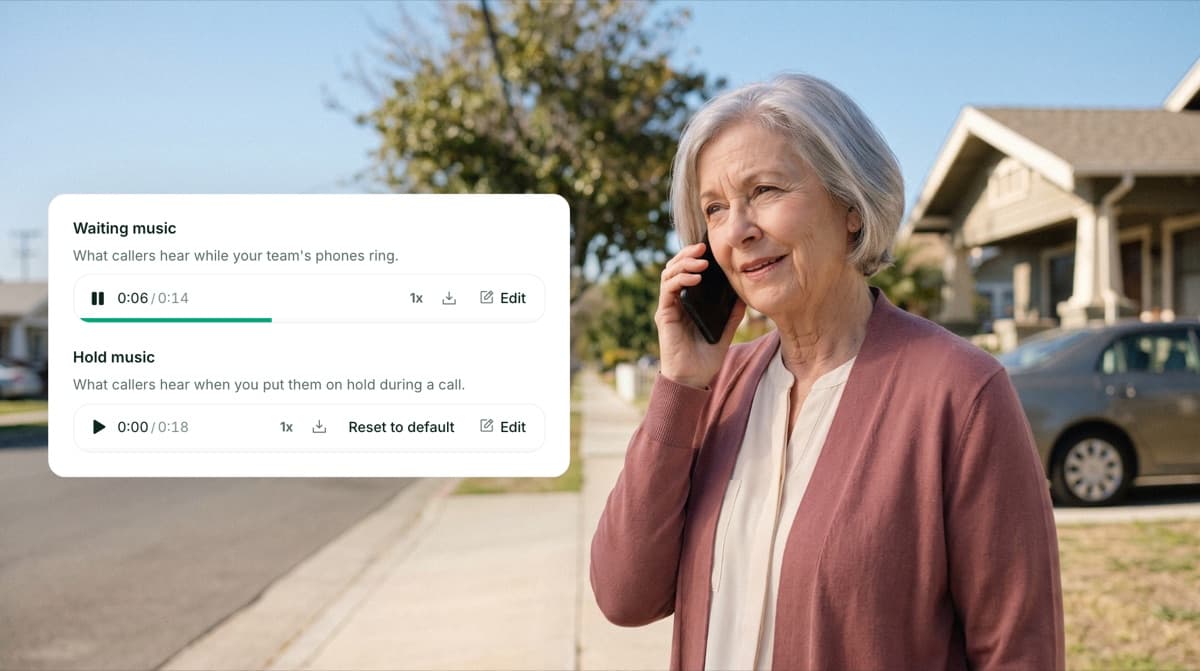
Pick the music your callers hear
Upload your own hold music, choose the waiting music callers hear while your line rings, and change your ringing tone. Preview each sound, set them number by number, and reset to the defaults anytime. On desktop and mobile.
Shipped by Sergey Chuvayev
Find all your invoices on the billing page
A new Invoices section lists every Allo invoice in one place, ready to view and download whenever you need them. On web and desktop.
Shipped by Leo Guerberg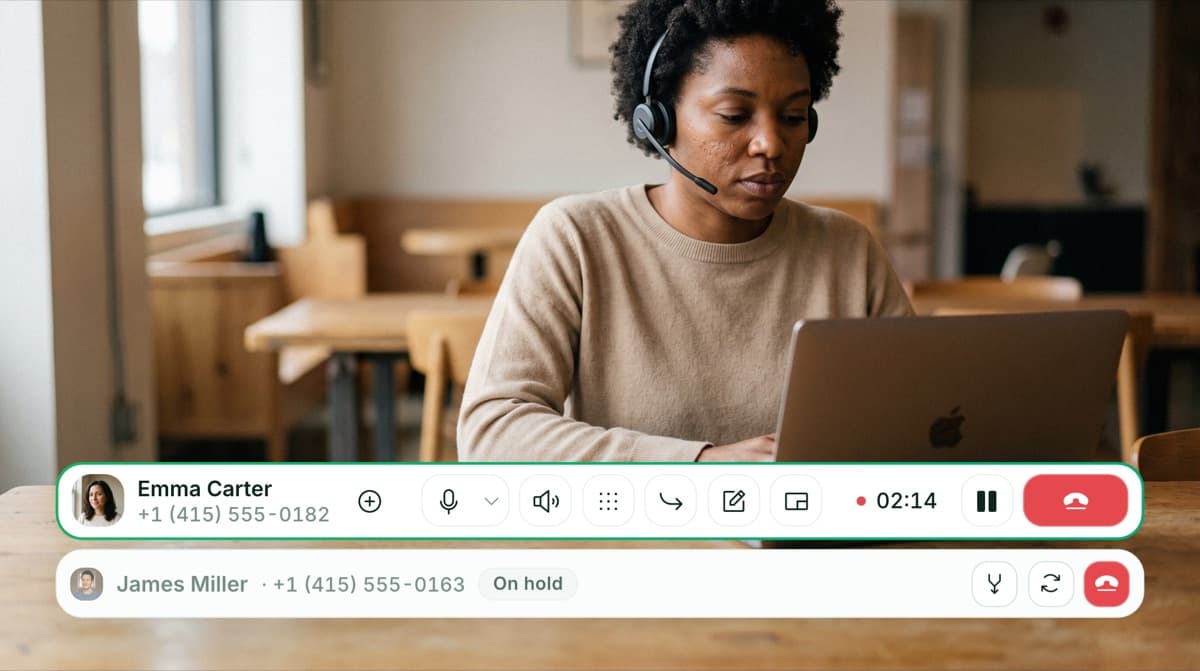
Take a second call without dropping the first
Handle two calls at the same time. Put your current call on hold to place or answer a second one, then switch between them whenever you need, without hanging up on anyone. The person on hold hears hold music, and on mobile you can hold or resume from your phone's controls and lock screen. If you start a second outbound call while you're already on one, the first is put on hold instead of dropped.
Shipped by Alejandro Maggi & Nicolas Moncarz
See who is available at a glance
A colored presence dot now shows whether a teammate is available, on a call, power dialing, or busy, so you always know the right moment to reach out. On mobile and desktop.
Shipped by Pablo Giraud-Carrier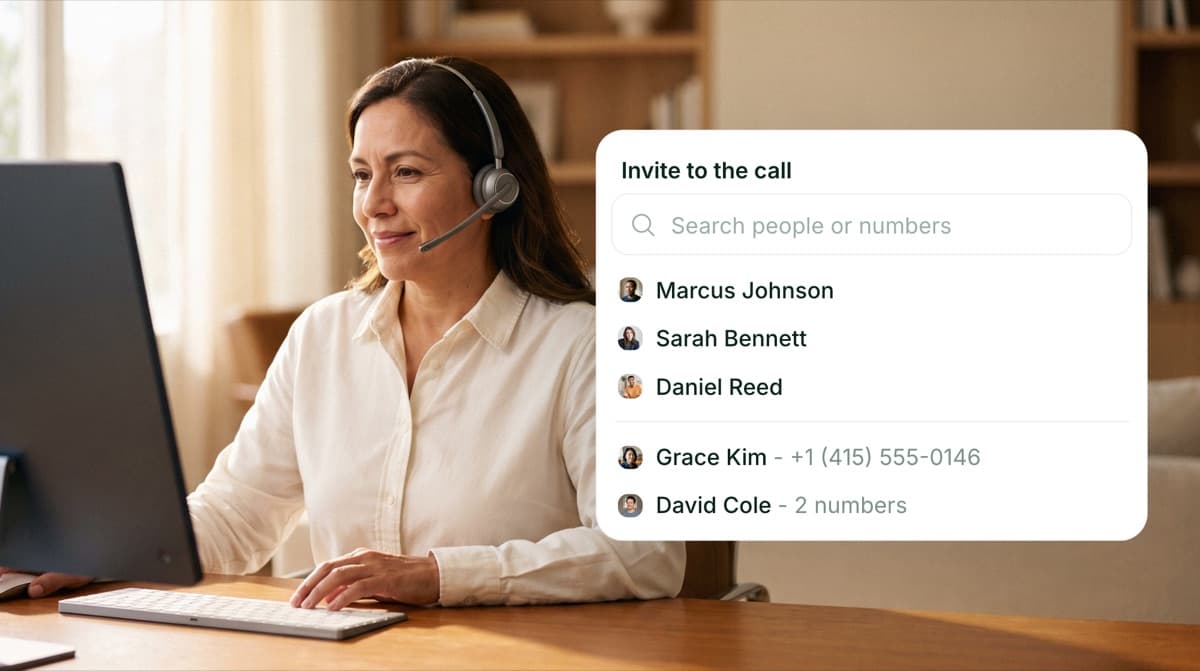
Bring a teammate into a call without holding the caller
Add a teammate to an ongoing call without putting the caller on hold. Everyone stays on the line, so you can pull in help or hand off the conversation without leaving the caller waiting in silence. On web and desktop.
Shipped by Camille Pawlak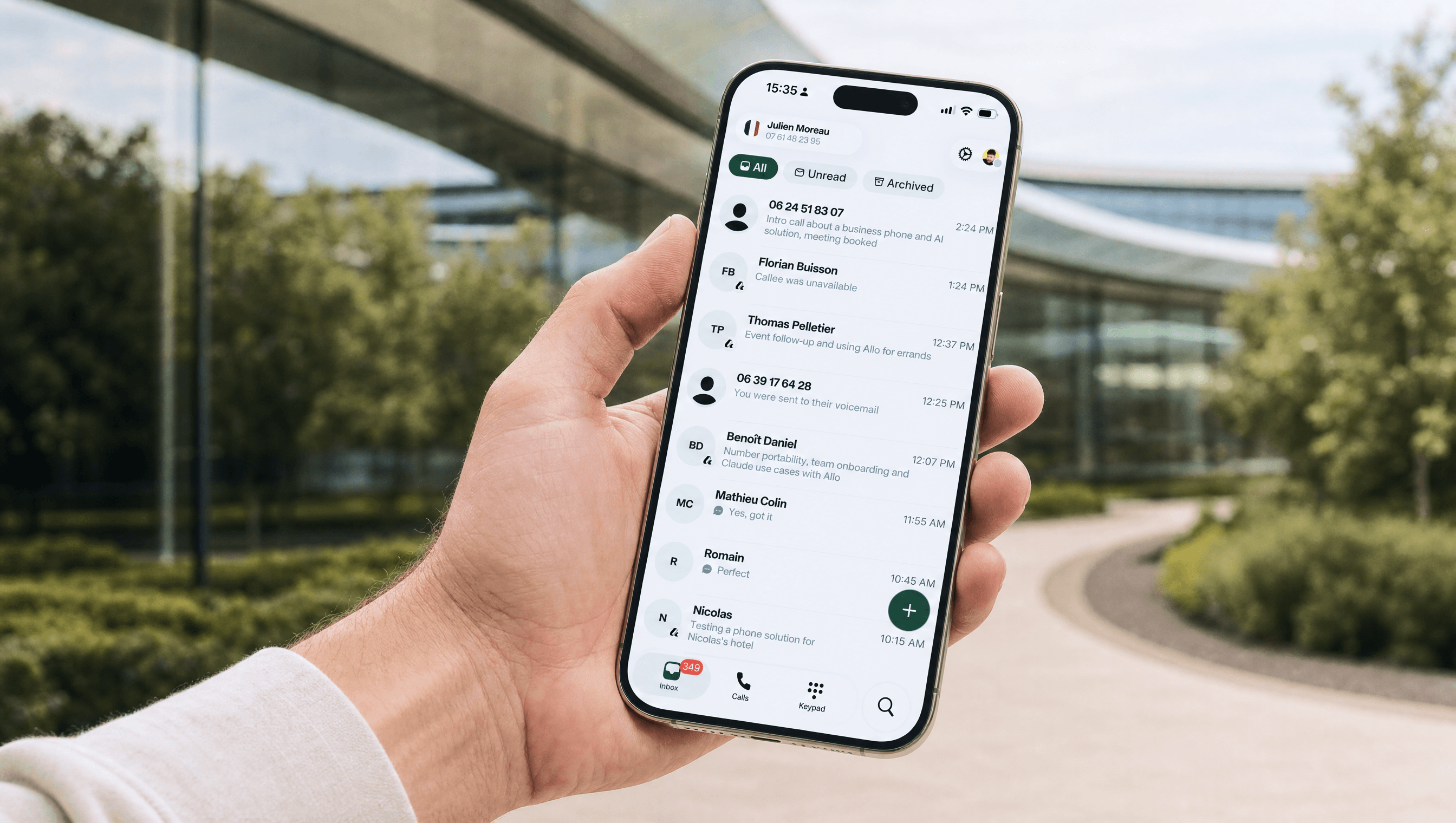
A brand new Allo on iOS and Android
The Allo mobile app got a complete refresh, rebuilt from the ground up to be faster to move around and easier on the eyes. Inbox and Calls now have their own tabs, each with its own filters, plus a new plus button to send an SMS or create a contact in a tap. A new Search tab lets you call or text anyone straight from a contact row. A Do Not Disturb mode mutes incoming calls when you need to focus, right from the new profile screen. Plus a cleaner keypad and contact photos across the app.
Shipped by Pablo Giraud-Carrier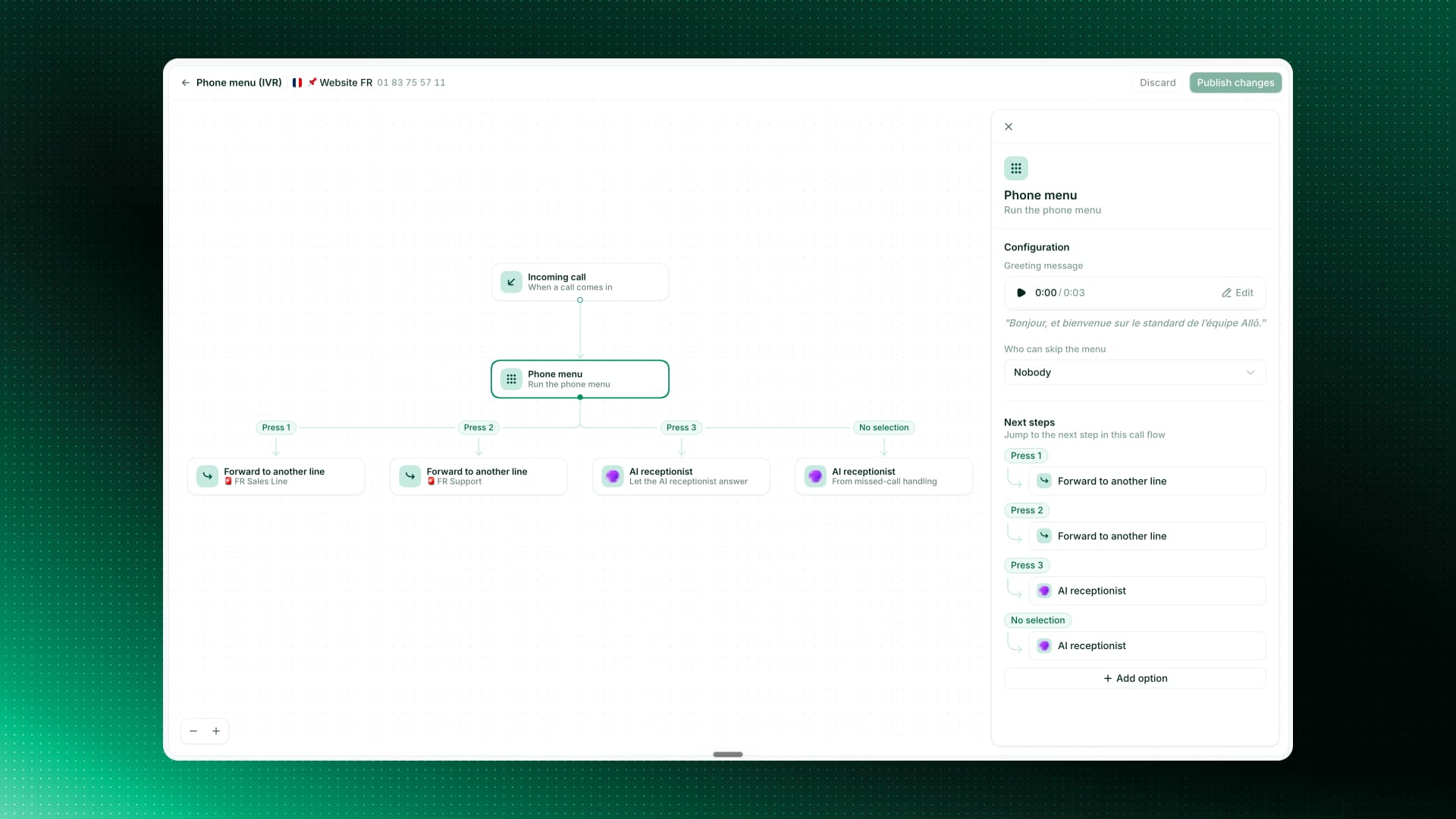
Build your phone menu as a visual flow
Setting up your phone menu is a lot clearer now. Instead of a flat list of options, you see your whole menu laid out as a visual flow. Each key press is its own step you can route anywhere: ring a line, forward the call, hand off to your AI receptionist, or send to voicemail. Edit any step from a single side panel, including the greeting and who can skip the menu. Your existing menus moved over exactly as they were, so there is nothing to redo. Available on web and desktop.
Shipped by Camille Pawlak & Sergey ChuvayevNever miss a mention with the Notification Center
Last week we shipped mentions and contact notes. They were just the beginning. The new Notification Center brings them together in one place, so the moment a teammate tags you, you see it and can jump right into the conversation.
Shipped by Pablo Giraud-Carrier
A clearer Numbers page in Settings
Your Numbers page in Settings got a clean redesign for clarity: a simple card list, grouped just like in the switcher. You can favorite, mute or hide a line straight from the page. Available on the desktop app.
Shipped by Camille PawlakEdit your AI call summaries, now on mobile
Summary templates are now on mobile, not just desktop. Apply your default or a custom template right from a call, rewrite a summary with your own prompt, and on iOS use the native writing tools to polish it in a tap.
Shipped by Alejandro MaggiRoute callers to a teammate or another line
Your phone menus (IVR) can now send a caller straight to a specific teammate, or forward them to another line in your workspace. Set it up once and every caller lands exactly where they should. Available on web and mobile.
Shipped by Sergey Chuvayev, Nicolas Moncarz & Alejandro Maggi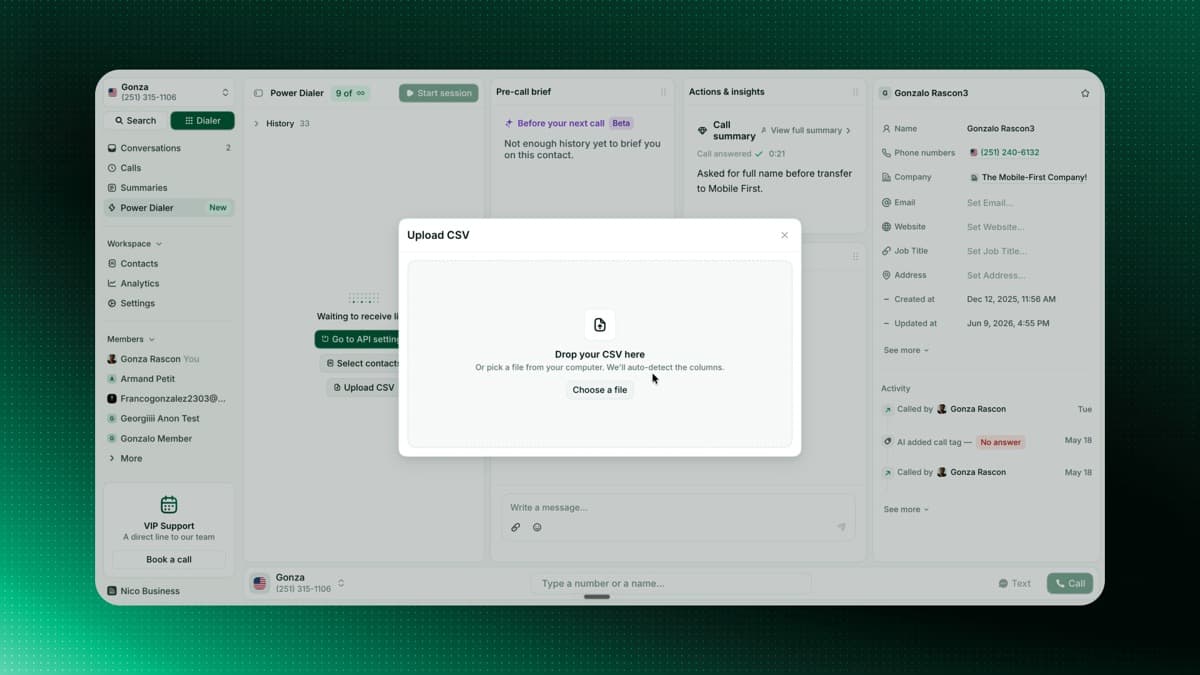
Upload a CSV to your Power Dialer
Feeding the Power Dialer is faster than ever. Drop in a CSV, map your columns, and your contacts are ready to dial, with a live count of valid numbers before import. You can also resume a session right where you left off.
Shipped by Gonzalo RascónNever miss an iOS call to Do Not Disturb
When iOS Focus or Do Not Disturb hides an incoming call, Allo keeps it ringing on your other devices instead of declining it everywhere. If a call is silenced on your phone, you get a notification with the caller's name and number, tap it to open the conversation.
Shipped by Francisco DepascualiIntroducing the Power Dialer
Automate your call queue and lift your call volume by up to 300%, without the fatigue. We replaced harsh ringtones with smooth background music that fades the moment someone picks up or you hit a voicemail, so you can chain calls without losing focus. Now available to everyone after a successful beta.
Shipped by Franco Pinto, Gonzalo Rascón & George TurpA fresh desktop navigation
Open Allo on desktop and you'll find a refreshed navigation, shaped around how you actually work. Switch lines from the top, with Search and the Dialer always one click away (press K to open the Dialer from anywhere). Calls and Summaries now live in the main bar instead of being buried under a tab, and shared Contacts, Analytics, and Settings are grouped together. A new Members section lists your teammates, the foundation for the online, busy, and in-call indicators coming next.
Shipped by George Turp & Camille PawlakIntroducing Allo MCP
Plug Allo into your favorite AI. Drop our MCP server into Claude, Cursor, Codex, VS Code, or any compatible AI client, and it can search your call history, send SMS from your Allo numbers, manage tags, and pull team analytics, all from chat. The easiest way to put your whole phone system inside the AI you already use.
Shipped by Leo Guerberg
Your Call Summaries, Your Way
Call summaries got three big upgrades. Editable and synced with your CRM: edit any AI summary, add your own notes, and every change syncs to your CRM in real time. Four built-in templates rewrite your summary based on the conversation you just had: cold call, sales call, support call, and discovery call. Custom templates per line: create your own template, pick the sections you need, and set it as the default for any Allo number. Every future call on that line follows your structure.
Shipped by Nicolas Moncarz, Camille Pawlak & Sergey ChuvayevAllo Is Now Open to Builders
Allo is now a platform. Third-party developers, agencies, and partners can build their own apps, workflows, and AI agents on top of Allo's calling, SMS, and intelligence infrastructure. Custom dashboards, internal tools that listen to every call, AI agents that trigger actions on a keyword: it's all on the table now. Talk to us if you have an idea you want to build.
Shipped by Leo Guerberg
Introducing the Allo Academy
We launched the Allo Academy: a growing library of free, on-demand courses for any business that relies on the phone. The first course is live: Cold Calling in 2026, built with Pauline Perez. It's free, hands-on, and built for managers and heads of sales who want to coach their reps better.
Build Any Allo Integration with Webhooks
Webhooks are live. Your team can now build any Allo integration on top of every event: calls (received, missed, completed with full transcript and recording), SMS, tags, and contacts. Push events into any tool that accepts a URL: Slack, Make, Zapier, n8n, a custom CRM, a data warehouse, or your own backend. Open Settings > Webhooks to get started.
Shipped by Leo Guerberg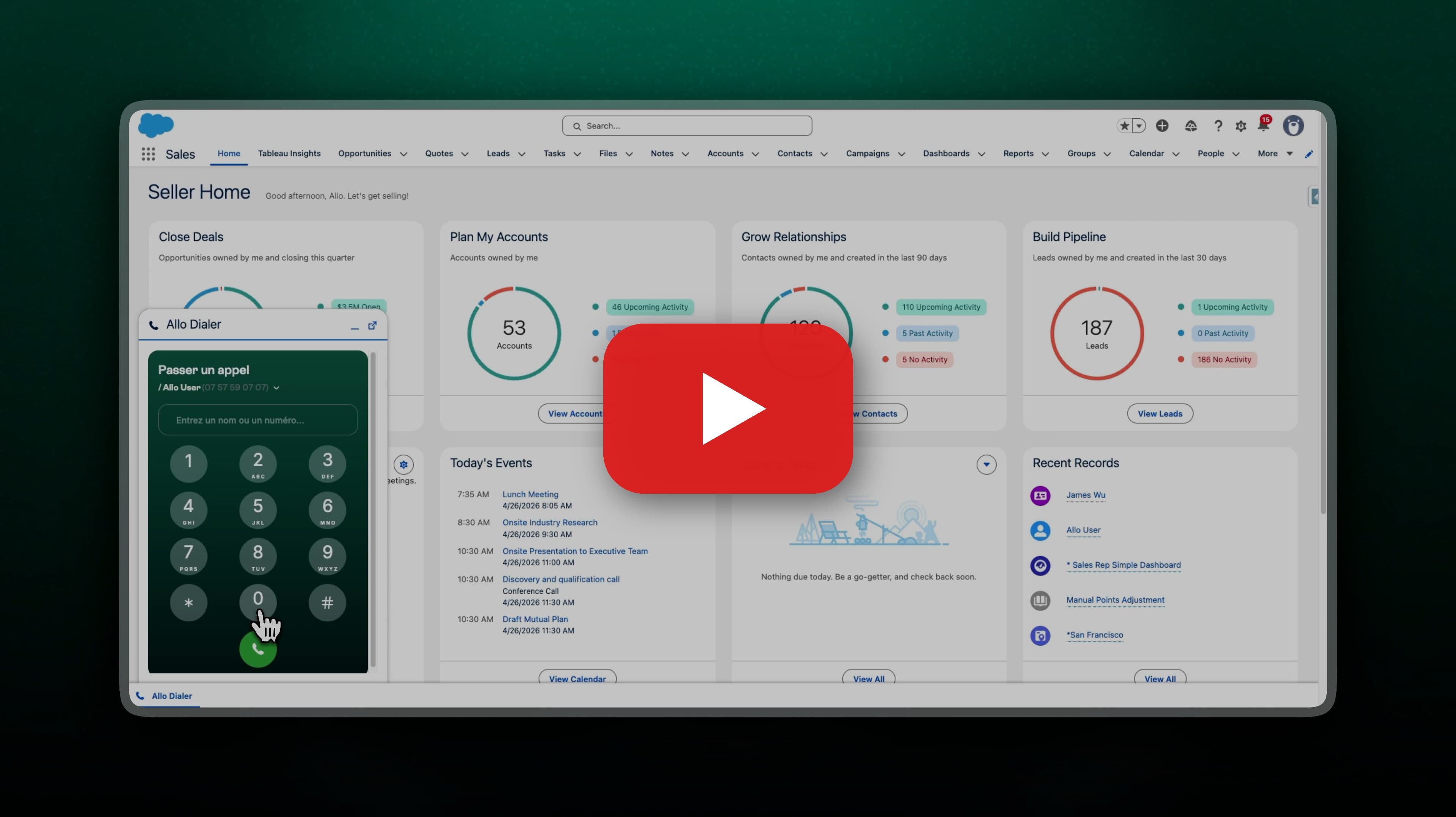
Call from Salesforce, Without Leaving Salesforce
The Allo dialer now lives inside Salesforce. Click a contact to call out, pick up inbound calls without switching tabs, and see who's on the line right next to the record you're working on. Recordings, transcripts, AI summaries, and call metadata sync back to the contact and activity timeline automatically.
Shipped by Leo Guerberg
Your Calls and Summaries, Synced to Intercom
Every call you make or receive in Allo now lands in Intercom as a conversation, with the recording, transcript, and AI summary attached. Your support team gets the full customer story, voice plus chat, without leaving Intercom. Your Intercom contacts also import into Allo automatically, so you know who's calling before you pick up.
Shipped by Leo GuerbergAll Your Number Settings, on a Single Page
We rebuilt the number settings from the ground up. No more digging through menus and sub-menus to find the toggle you need. Voicemail, business hours, call routing, IVR: everything for a given number now lives on one unified page. Faster to navigate, easier to scan, and a lot less clicking.
 Shipped by Camille Pawlak & Fahyik Yong
Canada to Canada SMS, No 10DLC Required
Canadian numbers without 10DLC registration can now send SMS to other Canadian numbers. One less hurdle for our Canadian teams who text within the country.
Shipped by Nicolas GarnilCompliance, Visible to Your Whole Team
Managers and members can now see the compliance section, not just admins. Anyone on the team can check 10DLC and brand registration status without pinging an admin.
Shipped by Nicolas Garnil
Sender ID Self-Serve for France
French number users can now register a Sender ID directly from the app. Your automated SMS will display your company name instead of a generic phone number. Head to your new Compliance tab, submit your brand name and a sample message, and you're typically approved within 48 hours. This also unlocks missed call auto-replies for French numbers.
Shipped by Leo Guerberg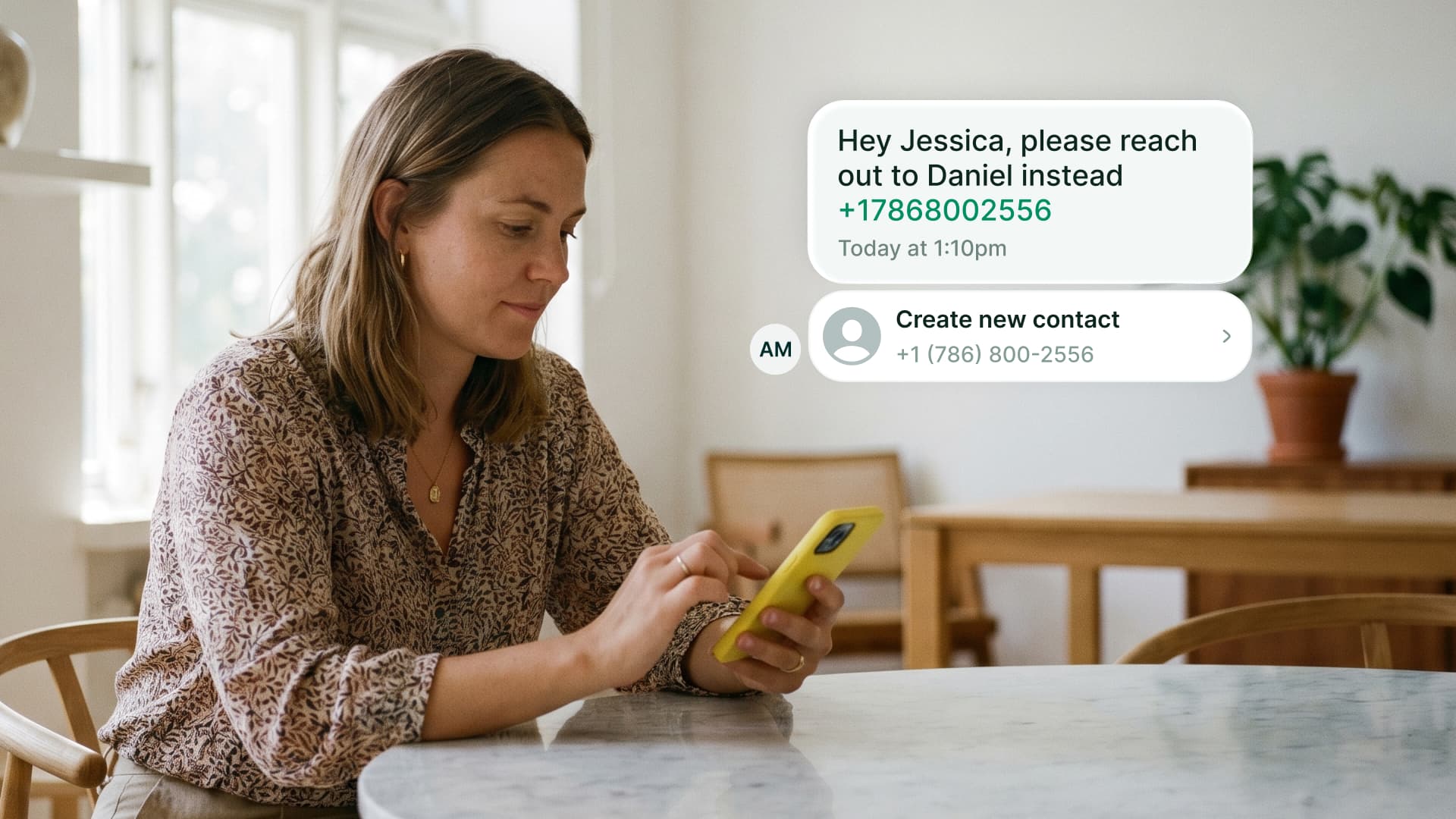
Interactive Data in SMS
Phone numbers, emails, websites, and addresses in your SMS are now interactive. Tap a phone number to see the matching contact or create one. Tap an email to open your mail client. Tap a URL to see a rich preview. Tap an address to open it in Maps. Works for sent and received messages. Available on iOS.
Shipped by Pablo Giraud-CarrierContact Details Extracted from Every Call
Allo's AI now extracts structured data from your call transcripts automatically: company name, website, email, phone number, and more. All clickable. We also improved summary sharing: public links now include the full transcript, and you can call or view a contact directly from the summary page.
Shipped by Mario Lucchelli & Sergey Chuvayev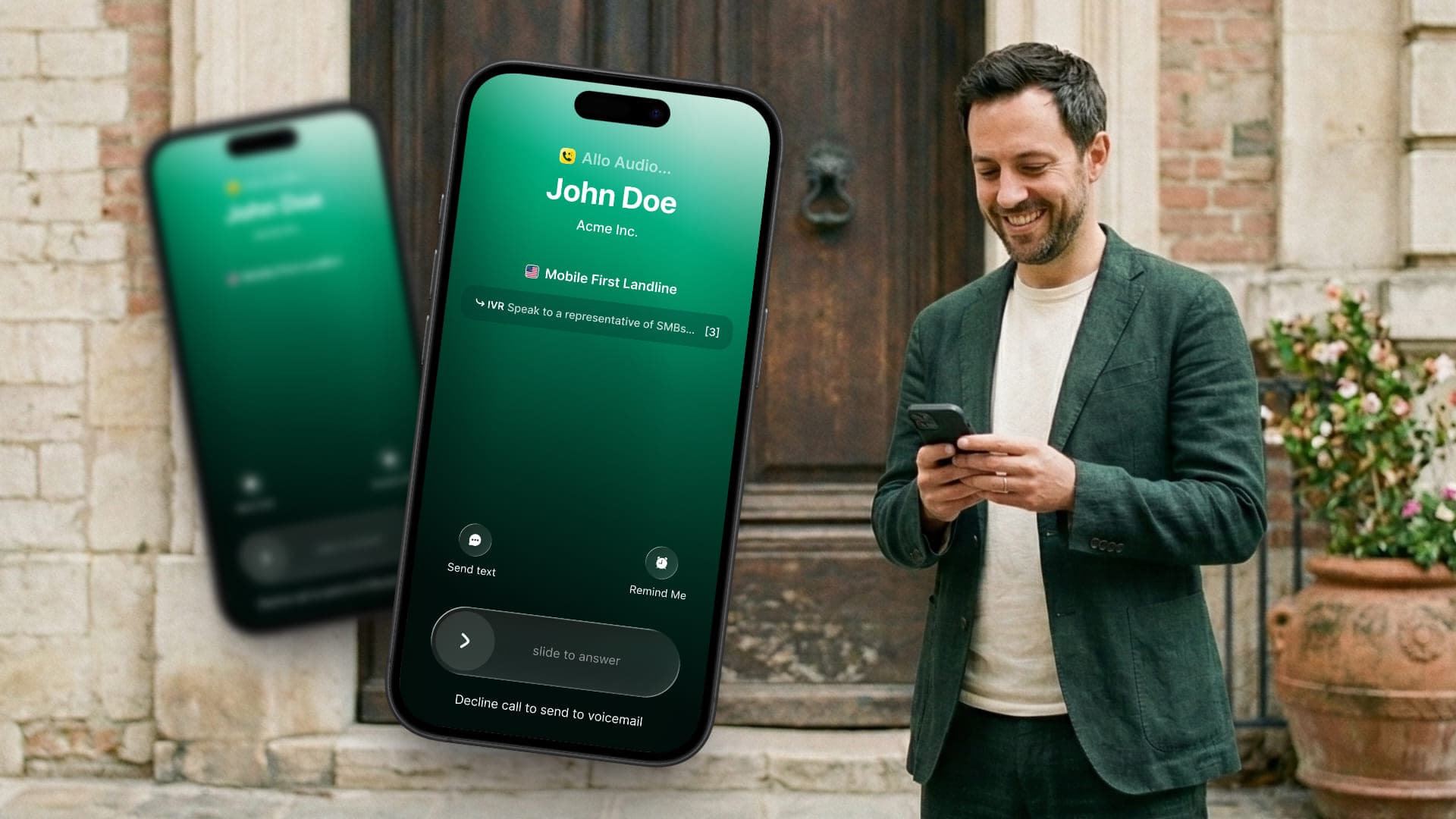
New Call UI on iOS
Your iOS call screen just got a complete makeover. The new interface shows caller info, call duration, and quick actions all in one clean view. Transferring calls, putting someone on hold, or switching to your AI receptionist is now just a tap away.
Designed and shipped by Pablo Giraud-Carrier & George TurpChoose Which Streak Pipelines Get Your Calls
If you use Streak, you can now select exactly which pipelines receive your call data. Keep your sales pipeline in sync while leaving others untouched. More control, less clutter.
Shipped by Leo GuerbergBusy Mode on Web
Need to focus? Busy mode is now available on the web app. Toggle it on and incoming calls go straight to voicemail or your AI receptionist. No interruptions, no missed context.
Shipped by George Turp
Instant SMS Notifications
New SMS? You'll know right away. Allo now sends you a push notification the moment an SMS arrives, so you never miss a message from a prospect or customer.
Shipped by Nicolas Moncarz & Pablo Giraud-Carrier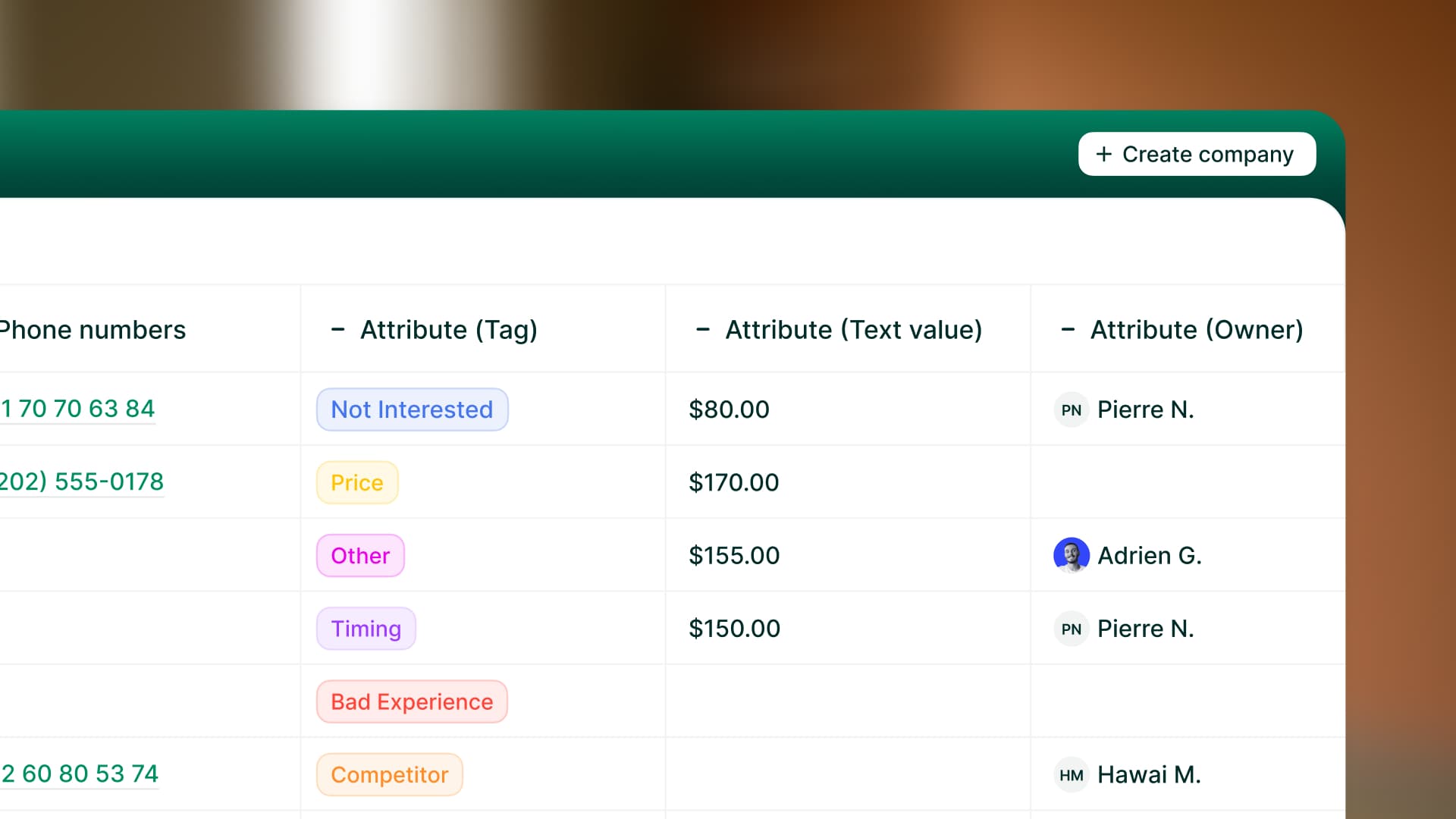
CRM Custom Properties
Your CRM data, right inside Allo. You can now see and filter your CRM custom properties directly in your contacts and companies tables. No more tab-switching to check a deal stage or lead status. Works with HubSpot and Attio today, with more CRMs coming soon.
Shipped by Gonzalo Rascón, Leo Guerberg & Nicolas Moncarz
Global Search on Desktop
Hit Cmd+K (or Ctrl+K) and search across everything: contacts, companies, and conversations, from one place. No more digging through different tabs. Available on Desktop.
Designed and shipped by Camille Pawlak & Gonzalo RascónCRM Sync Visibility
You can now see exactly which calls have been synchronized to your CRM. No more guessing whether a call was logged. Allo shows you the sync status directly, so you always know your CRM is up to date.
Shipped by Leo GuerbergFaster, More Stable Infrastructure
We've deployed significant database cache and query improvements to reduce latency during peak hours. The app should feel snappier and more responsive, especially when your whole team is active at the same time.
Shipped by Franco Pinto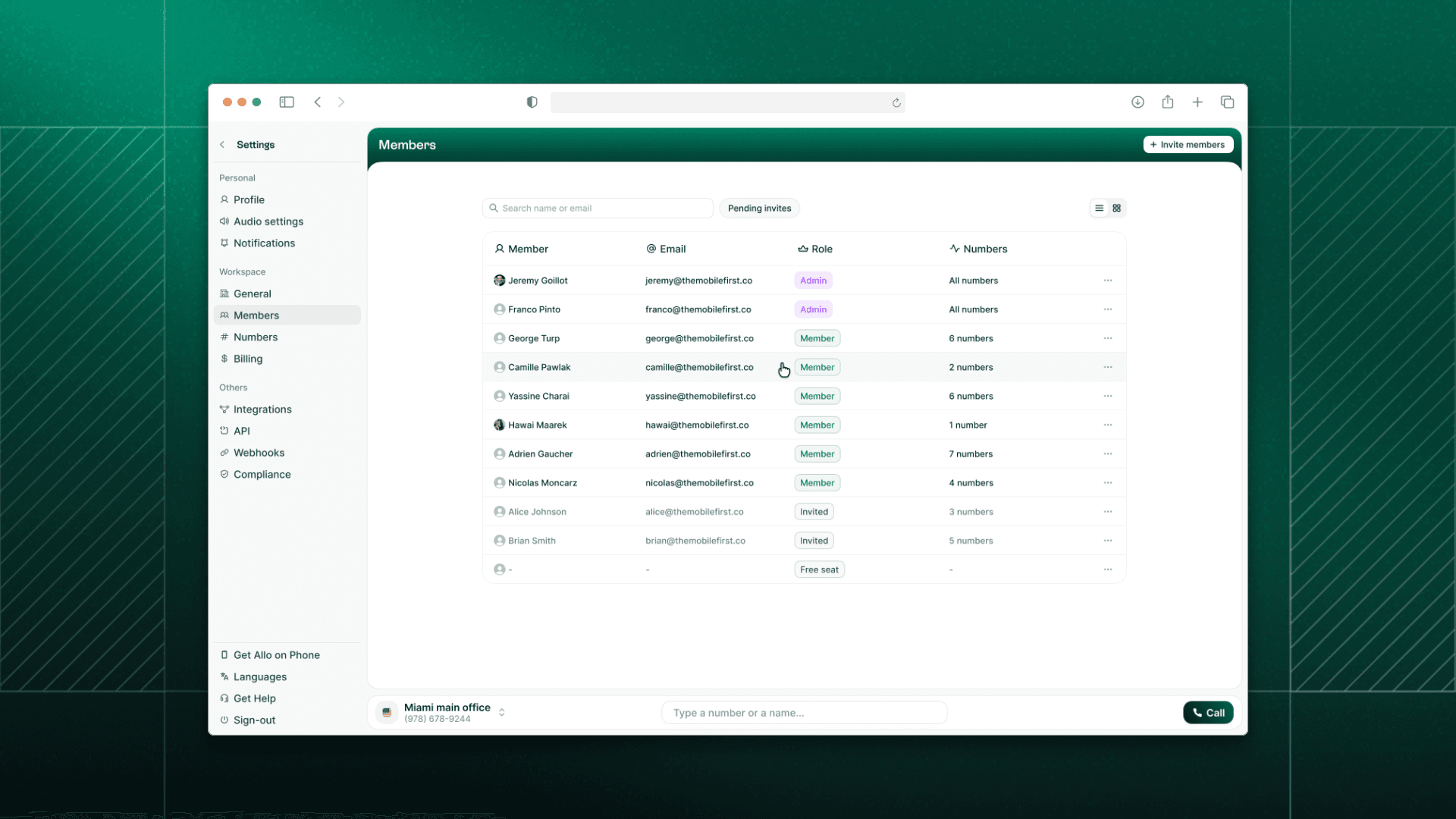
Team Page, Redesigned
Managing your team just got easier. We've completely refreshed the Team page with a new edit member flow. Assign roles and phone numbers in a few clicks. Everything is clearer, faster, and more intuitive.


New Integration: Claap
Claap users, this one's for you. Connect your Allo account to Claap and automatically sync your call recordings for AI-powered insights and collaboration.
Shipped by Leo Guerberg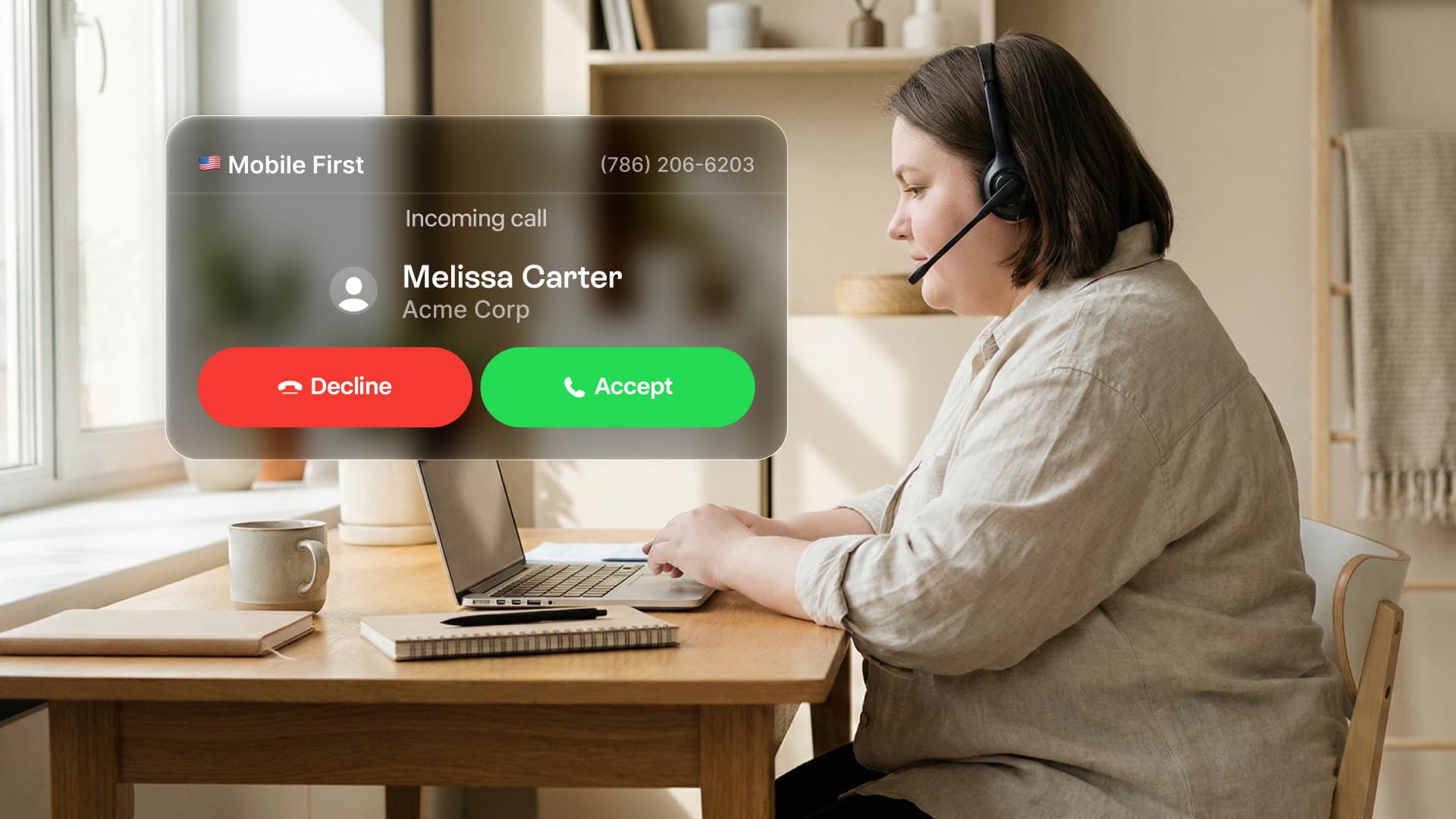
New Incoming Call Popup
Never miss a call again. When someone calls you, a new popup window appears on your screen — even if Allo is minimized. Answer or decline without switching tabs. Available on Desktop.
Shipped by Fahyik YongBetter HubSpot Sync
Your biggest complaint was duplicate calls cluttering your CRM. Fixed. Allo now pushes only one call to HubSpot, associated to each entity. We've also added call transcripts for new HubSpot connections, making your entire conversation searchable and organized.
Shipped by Leo GuerbergContact API & Webhooks
For developers: we've expanded our API with new contact endpoints and webhook events. Programmatically create and update contacts in Allo, and get notified when contacts are created or updated in real-time.
Shipped by Leo Guerberg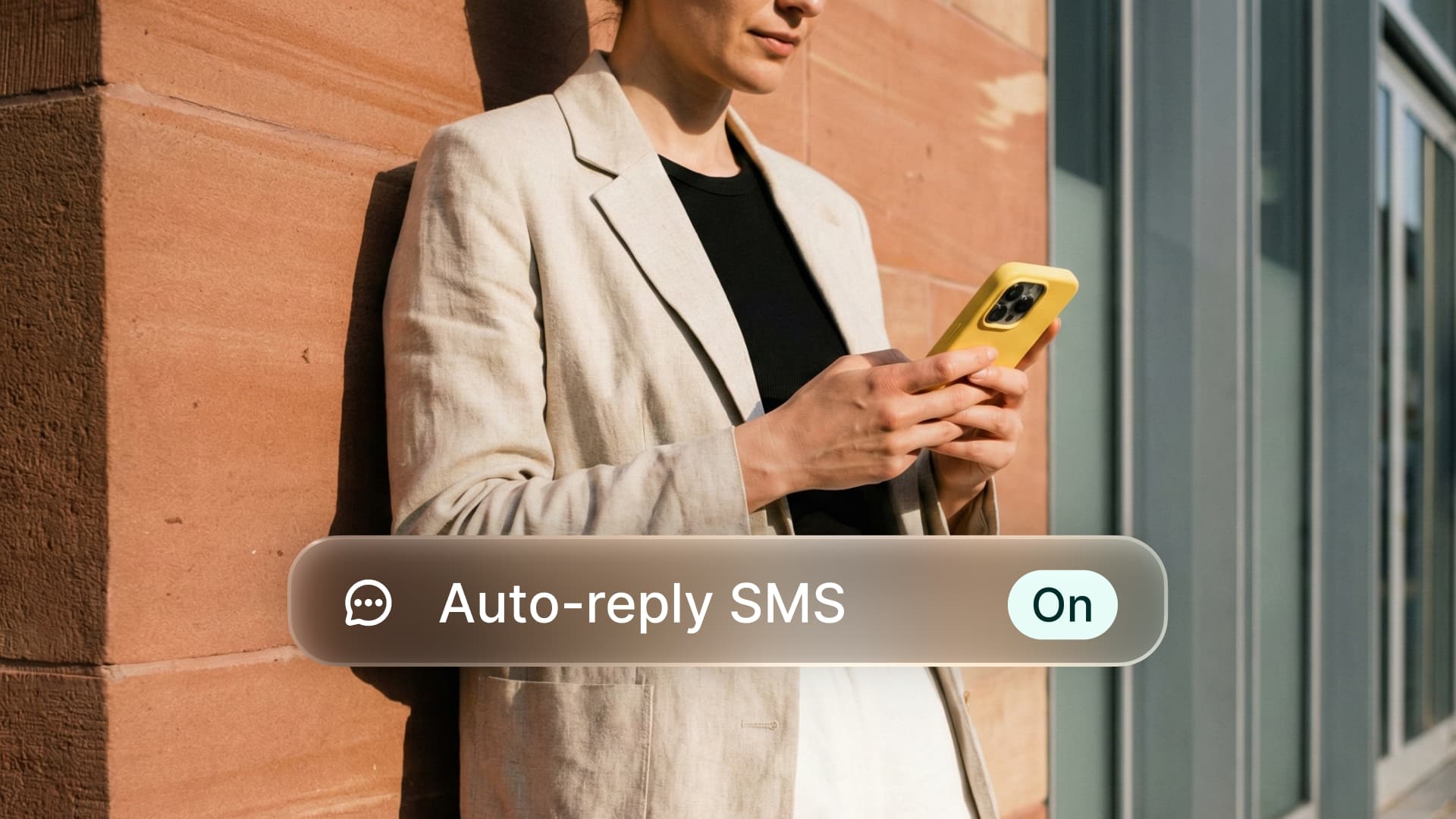
Automatic SMS Replies
Never miss a lead again. When you miss a call, Allo can now send a text message automatically. Set up two distinct messages: one for missed calls during business hours, and another for calls outside your working hours. Available on Desktop for US numbers. Coming soon to mobile.
Shipped by Fahyik Yong & Nicolas Moncarz
New Integration: Streak CRM
If you run your pipeline in Gmail, this one's for you. Allo now integrates with Streak CRM. Sync your contacts, log calls automatically, and keep your deals moving without switching tabs.
Shipped by Leo GuerbergSMS, Upgraded
We've made texting in Allo more powerful. Try Again & Delete: If a message fails to send, you can now retry it instantly or remove it from the conversation. Link Previews: URLs you share now display rich previews, making your messages more engaging. Available on Desktop. Coming soon to mobile.
Shipped by Fahyik Yong & Nicolas Moncarz
Find Contacts Faster
You can now filter and sort your contacts however you like. By name, company, last activity, or any other criteria. Find the right contact in seconds. Available on Desktop. Coming soon to mobile.
Shipped by Gonzalo Rascón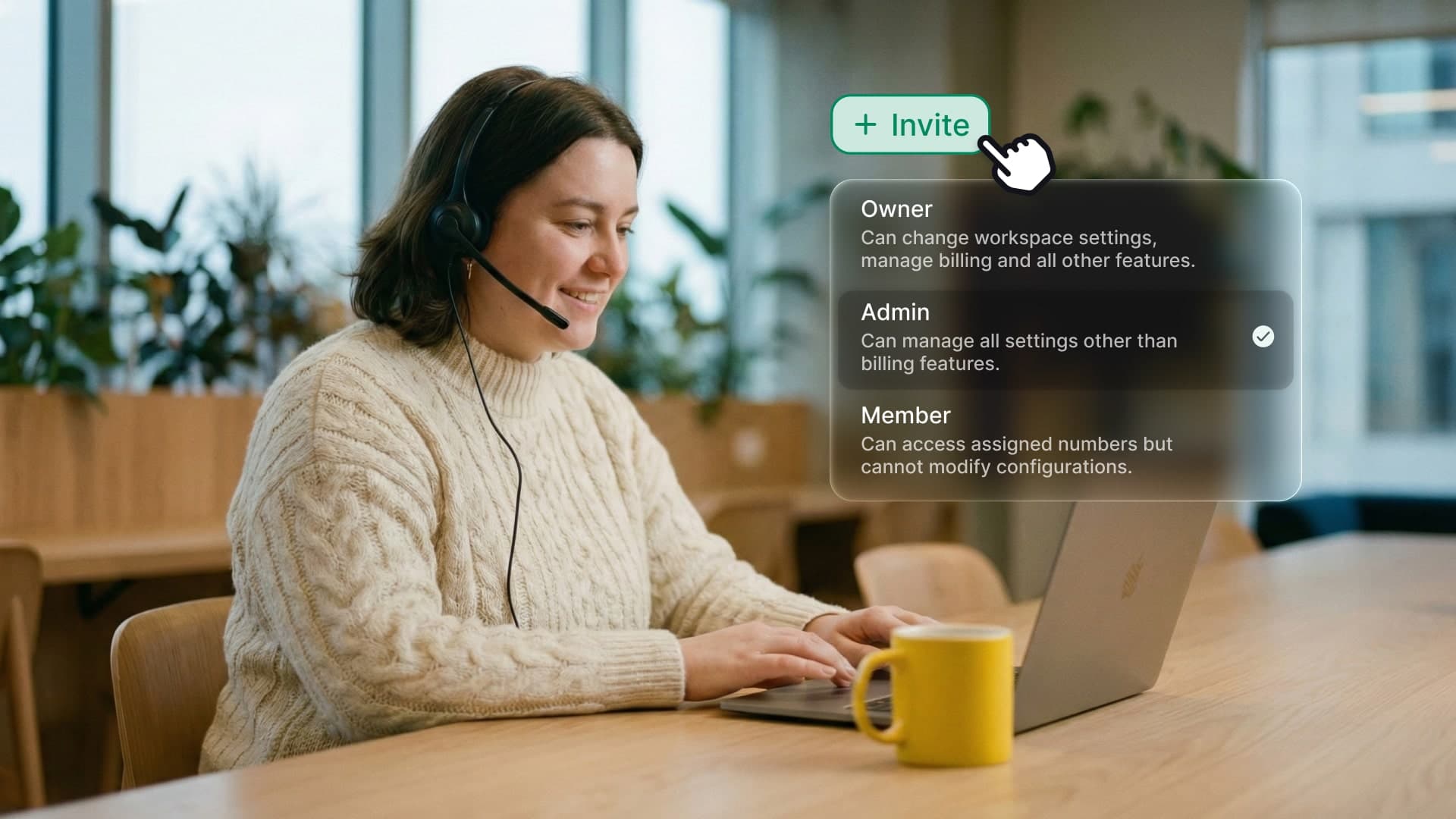
Team Onboarding Reimagined
Admins can now assign roles and configure phone numbers directly from the invite form. You can assign a new line or share existing numbers immediately. New users land in a workspace that is already set up for them.
Shipped by Nicolas Garnil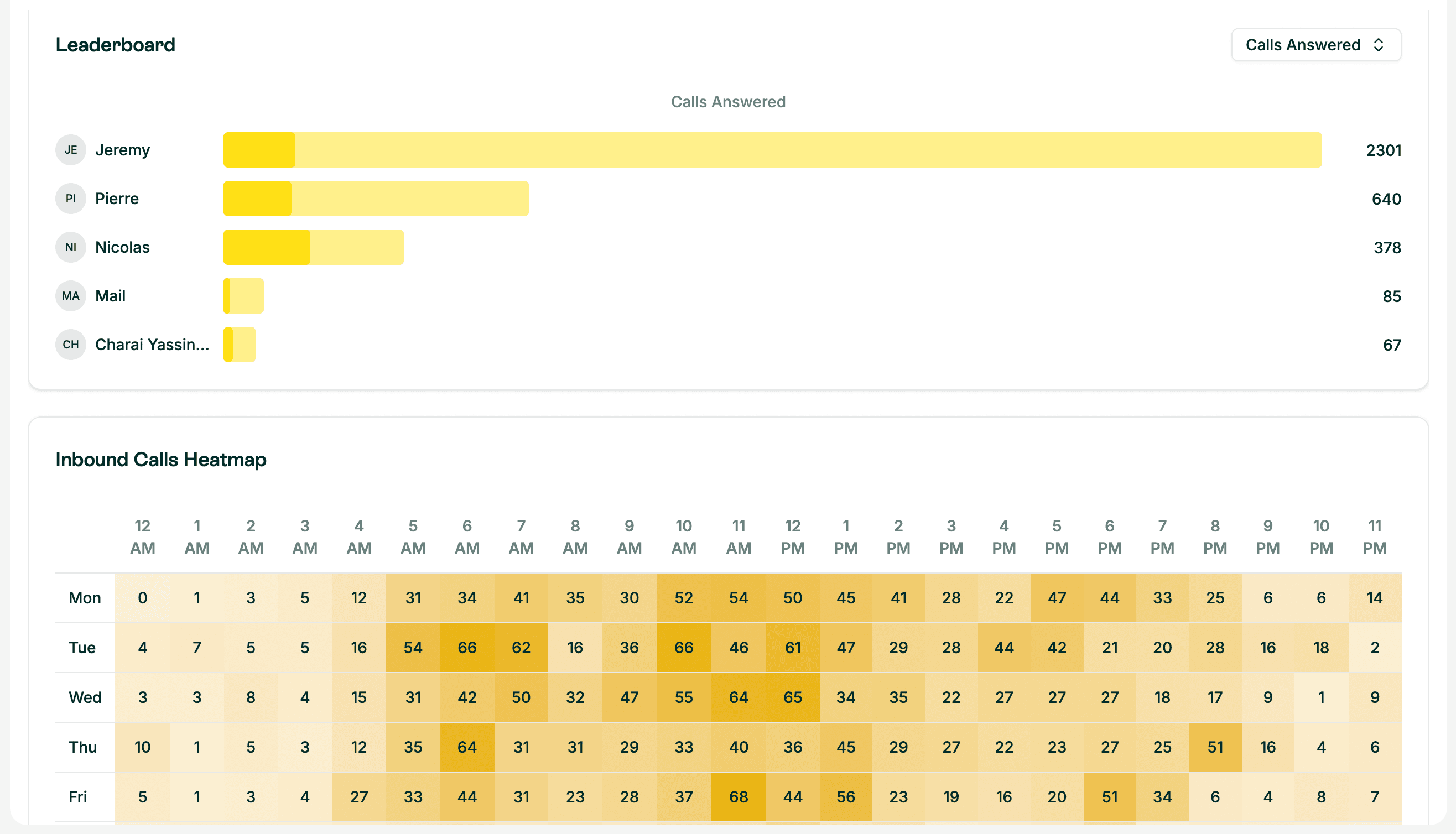
Desktop Analytics 2.0
We rebuilt the dashboard to give you actionable insights on your team's performance. View heatmaps, answer rates, and team leaderboards. Switch instantly between inbound and outbound views.
Shipped by Leo Guerberg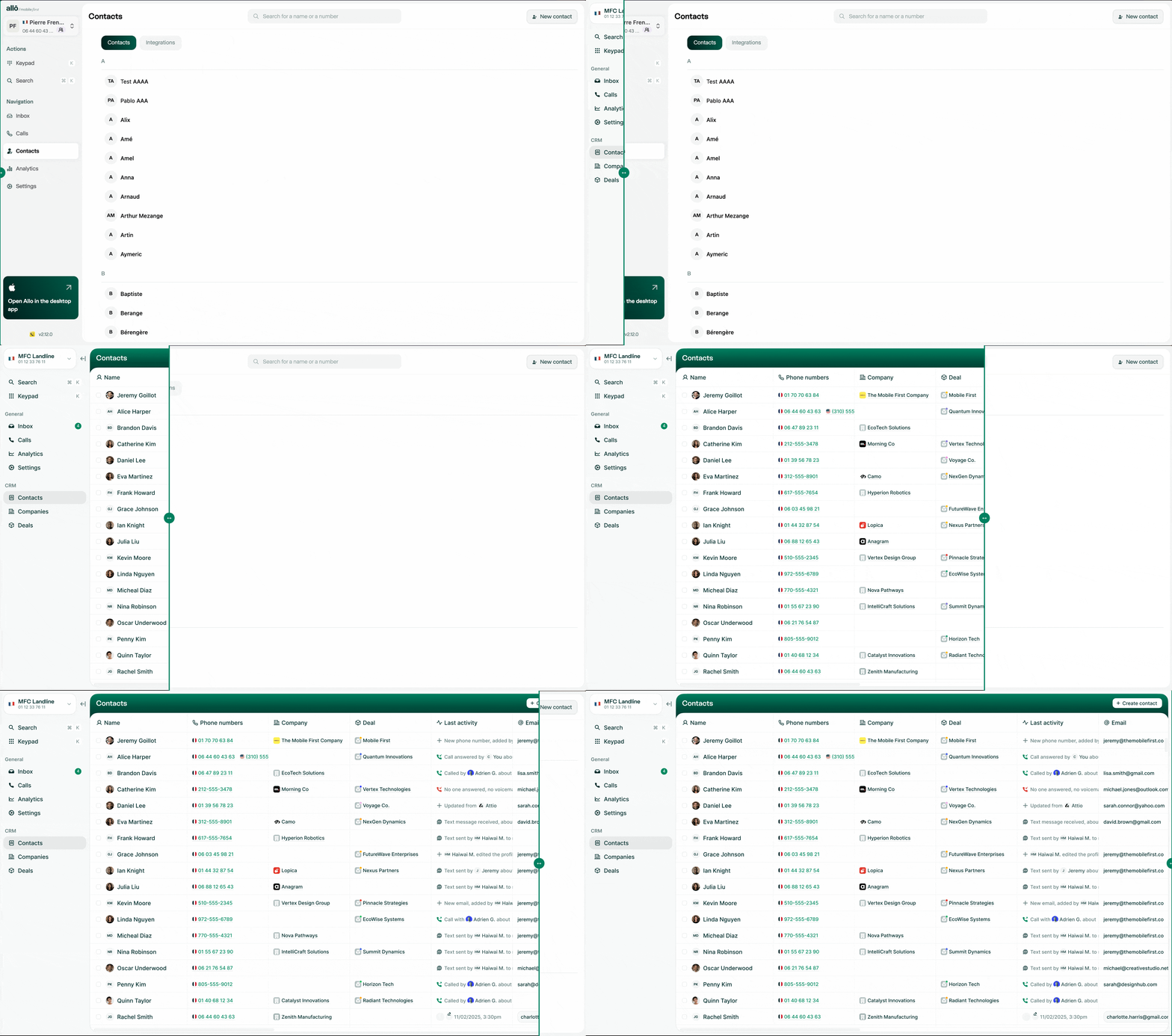
One View for All Contacts
The division between "Allo contacts" and "Integration contacts" is gone. The design has been completely rethought for a true CRM experience with a new table view and smoother creation experience.



The Allo API is live
This was one of our most anticipated features. Developers and automation experts can now build custom workflows, extract data automatically, and connect Allo to all your favorite tools.
Shipped by Leo GuerbergWebhooks
Receive real-time notifications for every call or message.
Calls
Retrieve and filter your entire call history with pagination.
Contacts
Access your contact base and track engagement levels.
SMS
Send SMS or MMS directly from your code via your Allo numbers.
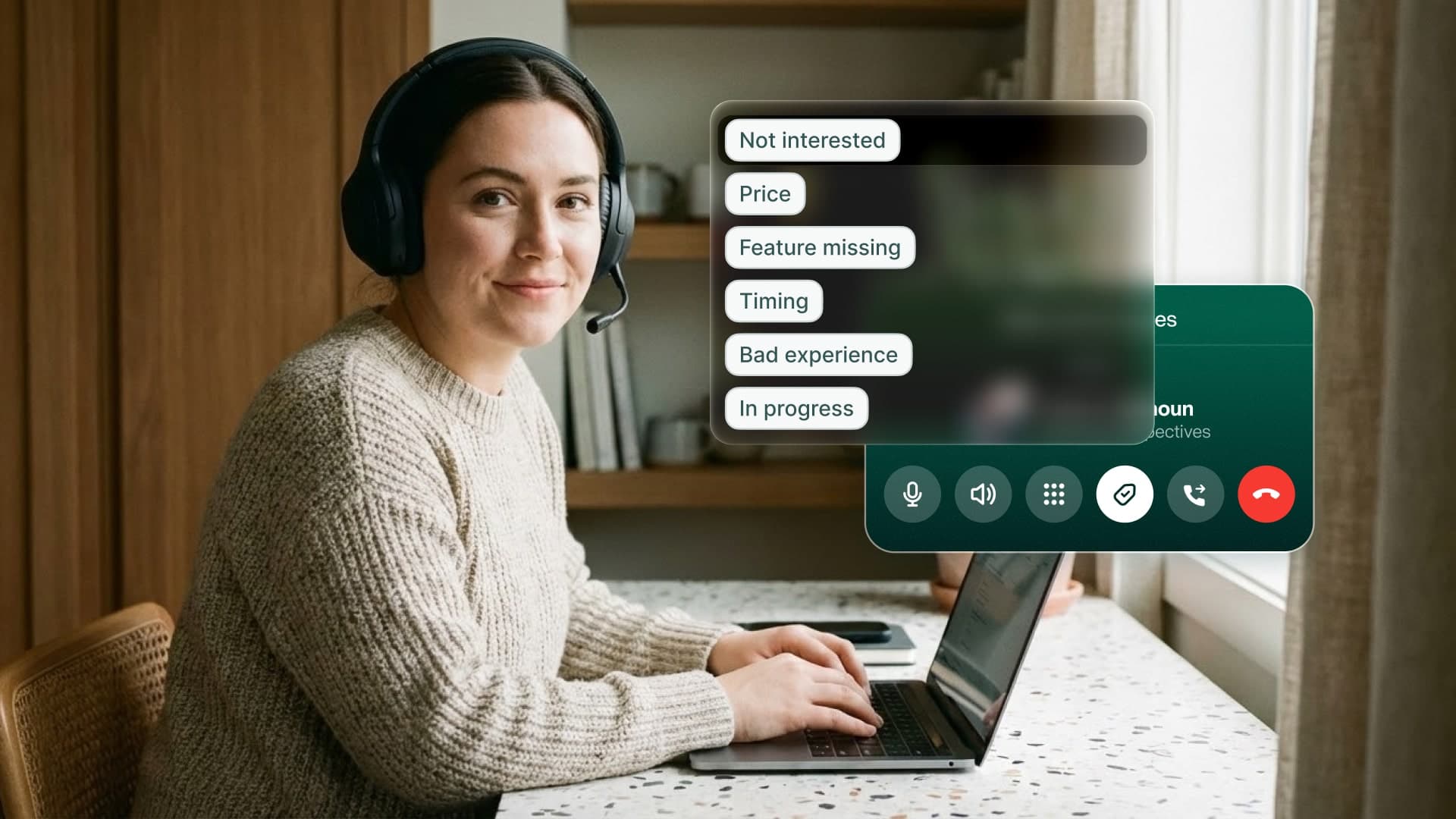
Call Tags Synchronization
Organizing your calls just got simpler. The tags you use in HubSpot are now automatically synchronized in Allo. Select them directly from the dialer.
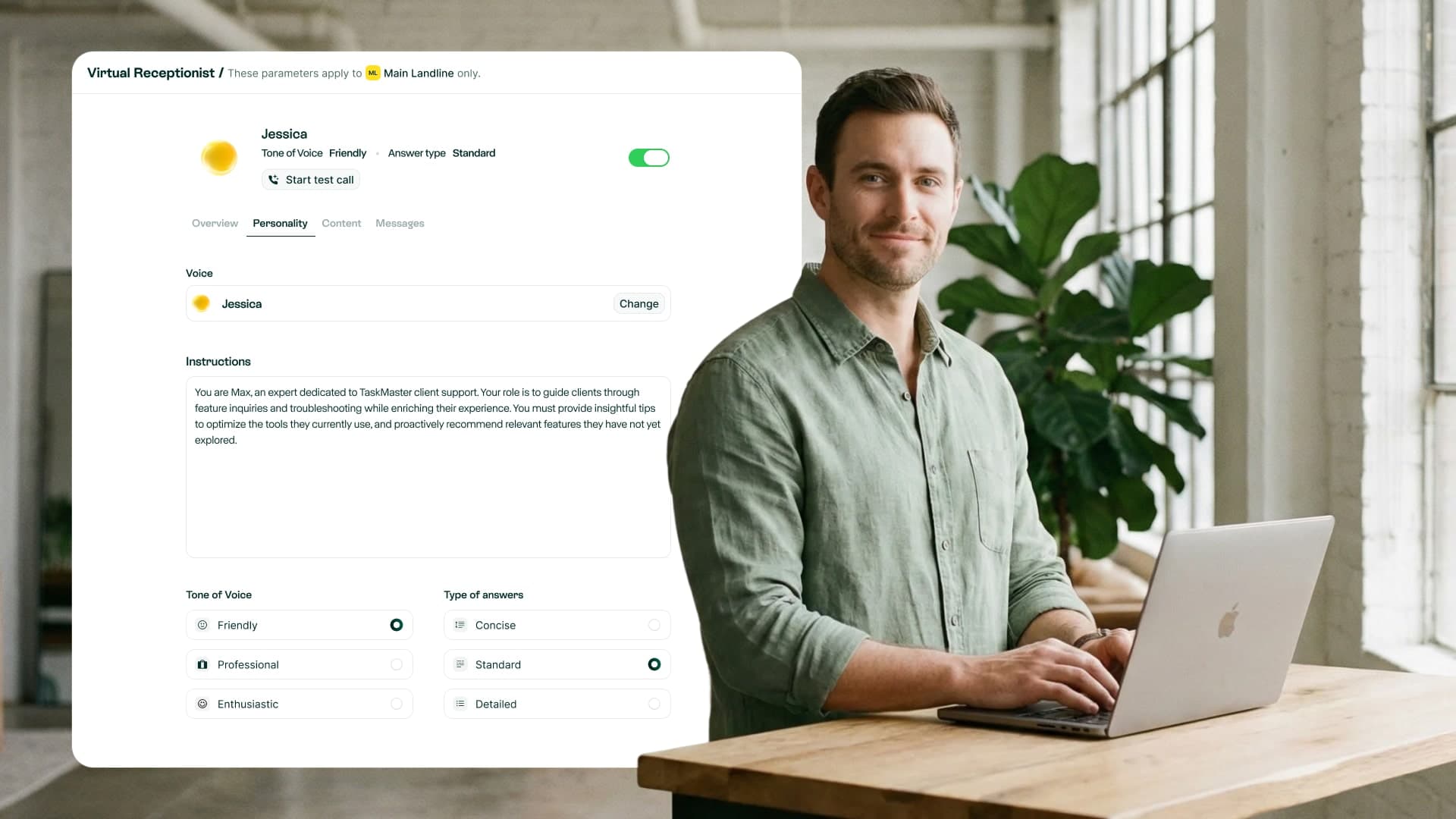
AI Receptionist on the Web
Configure your AI receptionist and voicemail directly from the desktop app. No need to use your phone to adjust settings anymore.
Web IVR Configuration
Your IVR menus (Press 1, Press 2...) are now configurable from the web.
Seamless Copy-Paste
New "Copy" button for call summaries that preserves formatting.
New Role: Manager
An intermediate role for better team and billing access management.
Improved SMS
Character limit increased to 1000 and expandable input area.
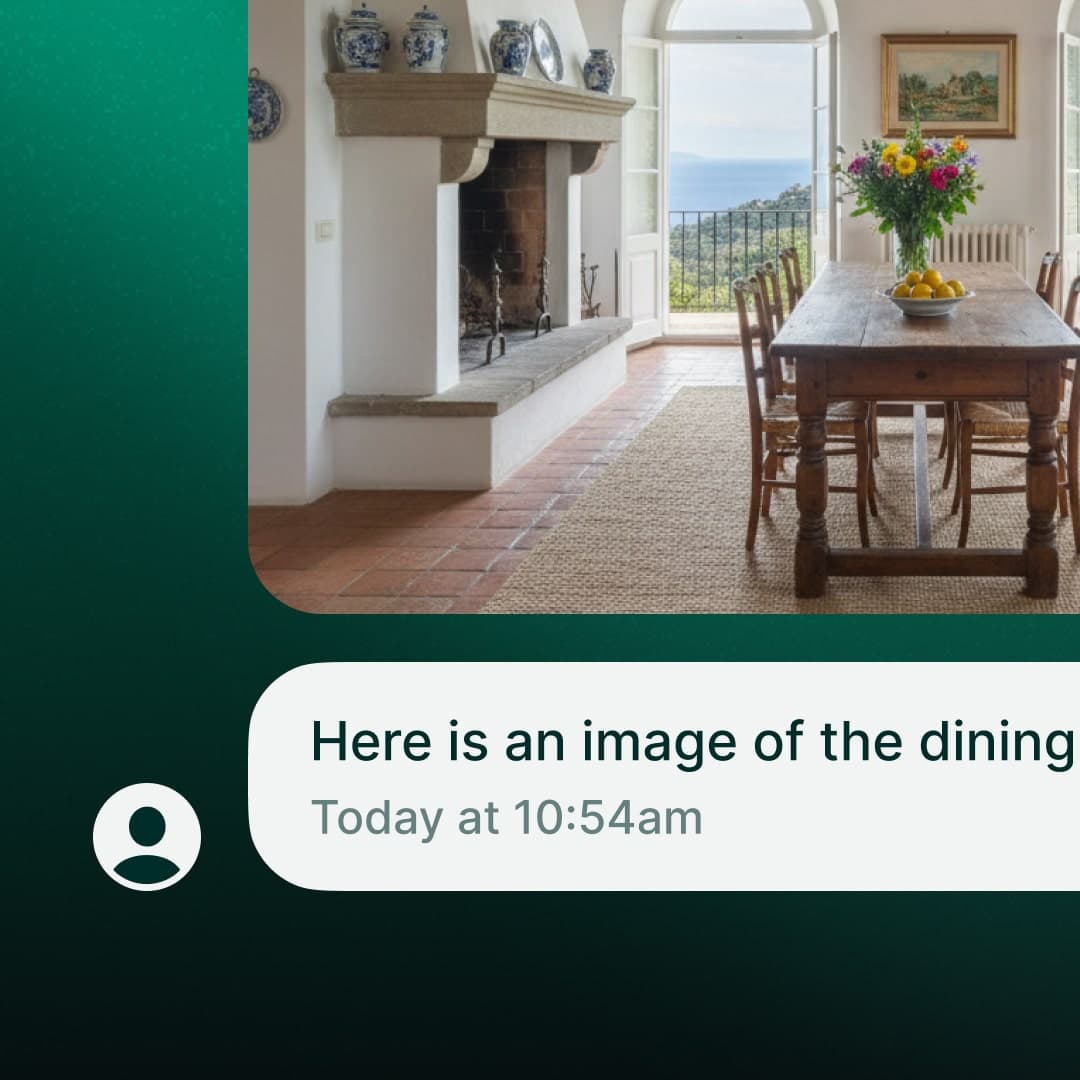
Receive MMS on desktop
You can now receive images and media directly in your conversations on web, macOS, and Windows. Works on US numbers with 10DLC registration. Rolling out this week.
3 new integrations
The Go High Level, Sellsy, and Apollo integrations are now live. You can connect them directly from the desktop app.
Fresh app icon
We refreshed the app icon and login screen.
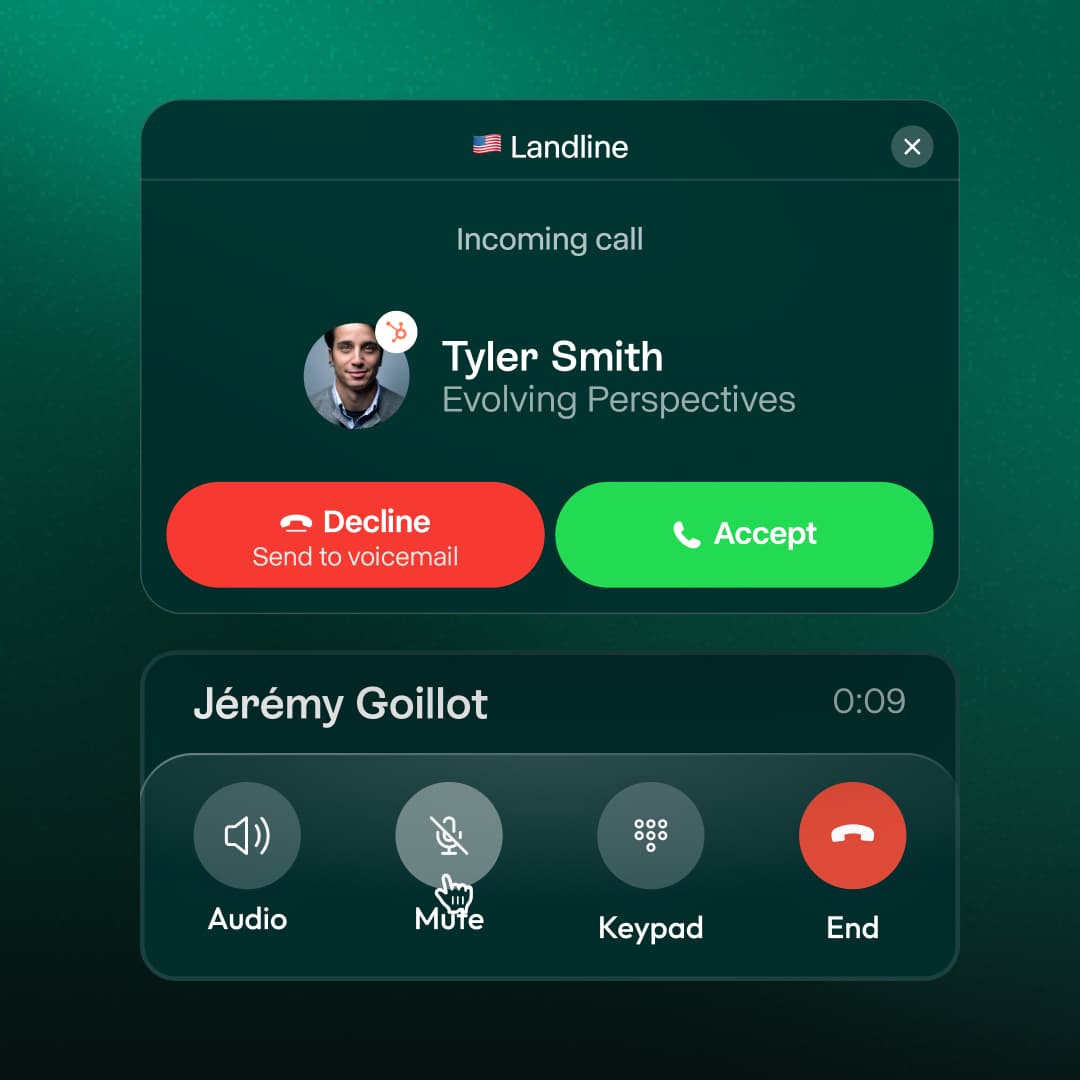
Handle multiple calls at once
When you're on a call and someone else calls in, you can now see both calls clearly. Answer or send to voicemail or AI receptionist without hanging up on your current conversation.

Voice IVR (Beta)
Early version of our AI-powered IVR is live. Callers can speak naturally about what they need, and the AI routes them to the right person on your team.
Zoho CRM Integration
Every call, text, and contact update now flows directly into Zoho CRM without lifting a finger.
Team visibility on desktop
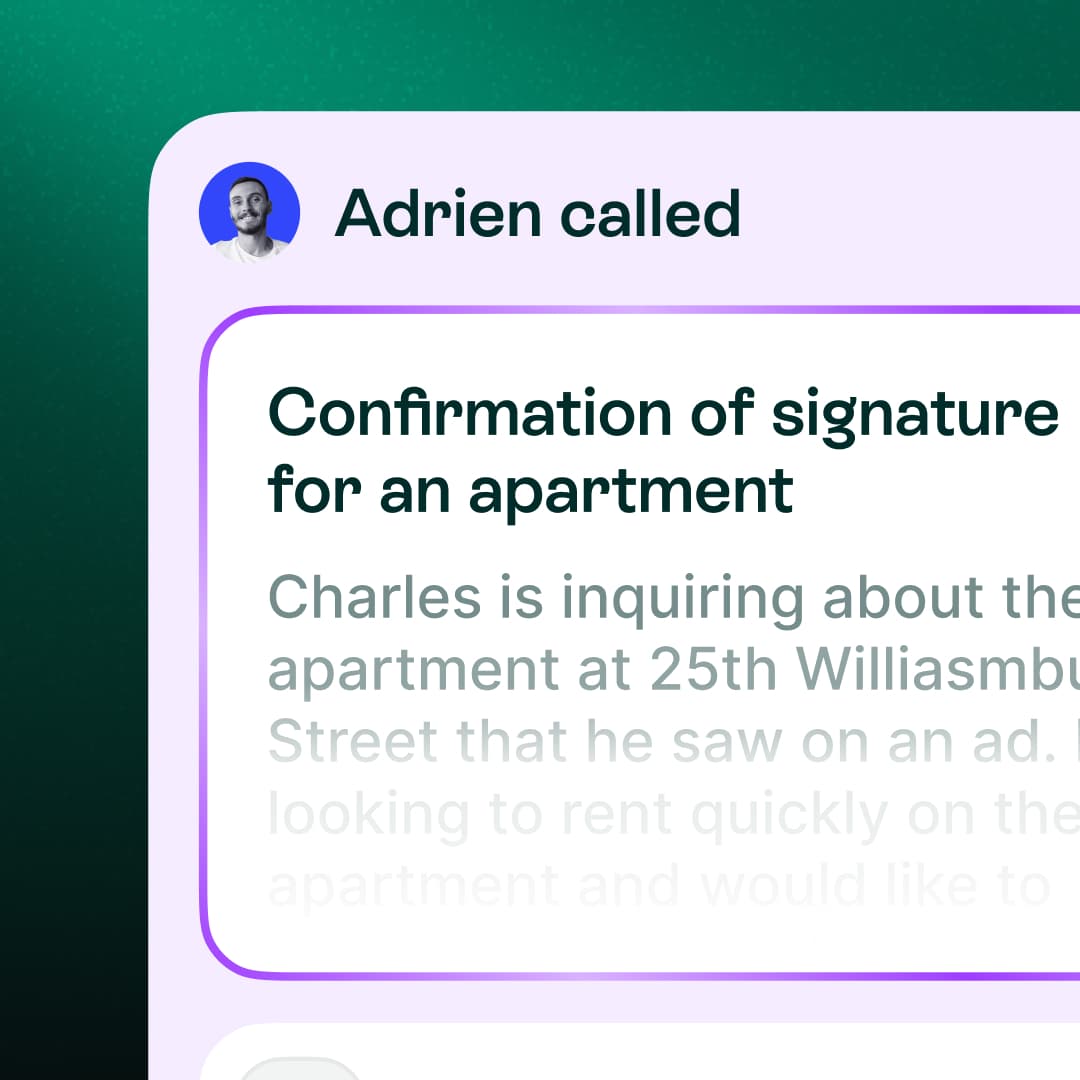
Conversations now show exactly who on your team took each action (answered, messaged, or handled). See at a glance who is doing what.
Advanced filters
Filter conversations based on voicemails, AI interactions, SMS, calls, transfers, or archived conversations.
Localization
Choose AI agent language, app language, and date/time format (12h or 24h).
Call routing
Manage cascading calls or simultaneous ringing from the desktop.
Billing page
New page to manage subscriptions, invoices, and cancellation.
Integrations Update
Streak is live. Attio sync now completes in minutes.
Custom AI summaries
Configure custom summary templates for each of your numbers.
Better team visibility
Filter call history by team member and interaction type.
Desktop business hours
Configure your working hours directly in Settings.